Restream is one of the best-known multistreaming services, and for a lot of creators it works fine. But it is not the right fit for everyone. Its free plan only allows two destinations and carries Restream branding, its paid tiers get pricey as you add platforms and features, and it is built primarily around simulcasting rather than pre-recorded live, 24/7 channels, or hosting your own player. If any of those gaps matter to you, it is worth knowing what else is out there.
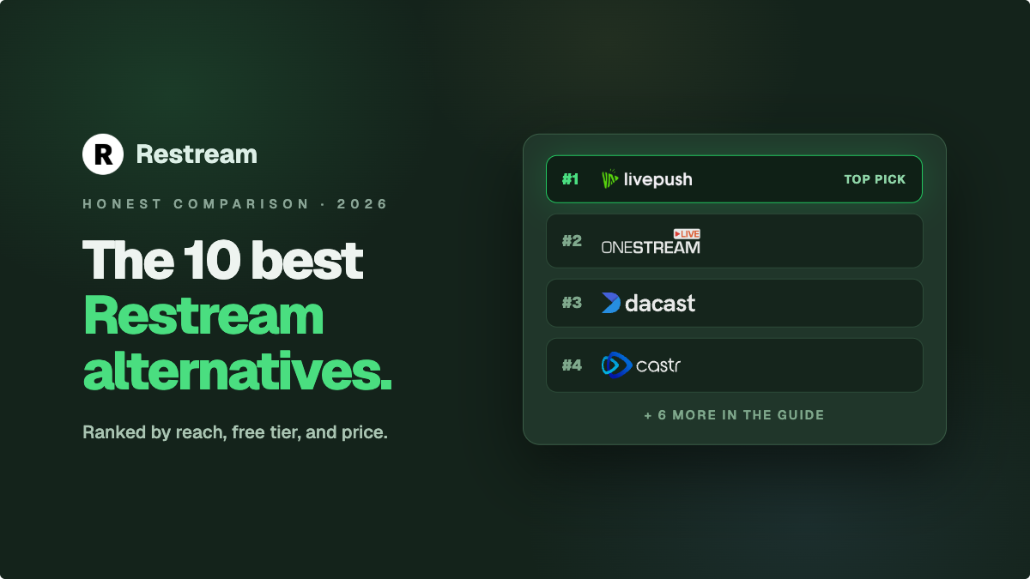
This guide compares 10 credible Restream alternatives in 2026. We have kept it honest: each tool has a clear "best for" line and real pros and cons, and Livepush (the platform behind this blog) is listed as one option among many, not automatically crowned number one. Pricing changes often, so treat the figures below (current as of October 2026) as approximate entry points and always confirm on each provider's pricing page before you buy.
Quick Comparison of Restream Alternatives
| Tool | Best for | Multistream destinations | Free tier | Entry price |
|---|---|---|---|---|
| Livepush | Multistream plus pre-recorded live and a hosted player | 40+ platforms | Yes (3 dest, 20 hrs/mo) | ~$15/mo |
| StreamYard | Browser studio and guest interviews | 3 or 8 destinations by plan | Yes (1 dest, watermark) | ~$36/mo annual (~$45/mo monthly) |
| Castr | Multistream plus video hosting on a budget | 6 to 30 destinations by plan | Trial only (7 days) | ~$20/mo (~$17/mo annual) |
| OneStream Live | Scheduled and pre-recorded social multistreaming | 45+ platforms | Yes (2 dest, 720p) | ~$15/mo (~$12/mo annual) |
| Streamlabs | Twitch and gaming creators already in the ecosystem | Multiple (Ultra) | Yes (single dest) | ~$19/mo (Ultra) |
| vMix | Local production studios that want full control | Multiple (via encoder) | Trial (60 days) | One-time from ~$60 |
| Streamlabs Talk Studio (formerly Melon) | Simple browser streaming for solo creators | Unlimited (Pro) | Trial only (7 days) | ~$9/mo (1 dest) or ~$17/mo (multistream) |
| Switchboard Live | Agencies and pro/managed multistreaming | Unlimited destinations | None listed (book a call) | Seat-based, quote only |
| Vimeo | Brands wanting hosting, player, and simulcast in one | Simulcast on Advanced only | Free hosting plan (no live) | ~$75/mo (Advanced, annual) for live |
| Socialive | Enterprise teams and internal broadcasts | Multiple | Demo only | Enterprise (custom) |
Multistreaming vendors change plans and destination limits often. Every price here is an approximate entry point, and paid plans start around the figure shown. Confirm current pricing and per-plan destination caps on each provider's own site before committing.
The 10 Best Restream Alternatives
1. Livepush
Livepush is a live streaming platform built around multistreaming, pre-recorded live, and 24/7 looping channels, with an Akamai-backed CDN and a hosted HLS player for embedding on your own site. It fans one stream out to 40+ destinations, and its free plan allows 3 simultaneous destinations, which is one more than Restream's two-destination free tier, and without platform branding on the stream (Facebook streaming requires a paid plan, starting with Pro at $15/month). Where it goes beyond a pure simulcasting tool is the pre-recorded and 24/7 features: you can upload an MP4 and schedule it to go live, or run a looping playlist channel around the clock.
Best for: Creators who want multistreaming plus pre-recorded live and a website player in one platform.
Pros: Generous free plan, 40+ destinations, pre-recorded and 24/7 live, hosted HLS player, SRT and RTMP ingest.
Cons: No built-in browser studio, so you bring your own encoder such as OBS. Learn more on the Livepush multistreaming feature page or see the dedicated Restream alternative comparison.
2. StreamYard
StreamYard is the most direct answer if what you actually liked about Restream was its browser studio. It lets you go live from a web browser with no OBS required, add guests, overlays, banners, and brand elements, and then simulcast to several platforms at once. It is genuinely one of the easiest tools to start with, especially for interviews, panels, and talk-show formats.
Best for: Podcasters, interviewers, and creators who want a no-download browser studio.
Pros: Very easy to use, strong guest and layout tools, reliable simulcasting.
Cons: The free plan adds a watermark and allows a single destination, the Core plan costs around $45/month (about $36/month billed annually), and it is not built for pre-recorded 24/7 channels or hosting your own player. We break down the head-to-head in Restream vs StreamYard.
3. Castr
Castr pairs multistreaming with video hosting, with a Starter plan at $19.99/month (about $16.67/month billed annually), which makes it a popular Restream competitor for people who also need hosting. It supports a large list of destinations, scheduled streams, and pre-recorded live on every plan, and it bundles VOD hosting so you can store and embed recordings too. If your priority is getting multistreaming and basic hosting for as little as possible, Castr is worth a look.
Best for: Creators who want multistreaming plus video hosting on a tighter budget.
Pros: Pre-recorded streaming on all plans, large destination list, combined live and VOD hosting.
Cons: No free tier (seven-day trial only), 24/7 looping of pre-recorded video is gated to the Premium plan at $199.99/month, and CDN performance can vary by region. See where it lands in our best multistreaming platforms roundup.
4. OneStream Live
OneStream Live leans hard into scheduled and pre-recorded social multistreaming. It supports 45+ platforms, lets you upload videos and broadcast them as live on a schedule, and includes a lightweight studio. It also has a free tier, which is uncommon in this category, though the free tier is limited to 2 destinations, 720p, and 15 minutes per pre-recorded stream. For social-first creators who plan content ahead, the scheduling and pre-recorded workflow is its strongest card.
Best for: Social creators who schedule content and want pre-recorded broadcasts.
Pros: Very broad destination support, strong scheduling and pre-recorded features, a free tier exists.
Cons: Free and lower tiers are capped on destinations, resolution, and pre-recorded stream length, and the studio is basic compared with a dedicated tool like StreamYard.
5. Streamlabs
If you are a Twitch or gaming creator, you may already live inside the Streamlabs ecosystem. Streamlabs offers multistreaming through its Ultra subscription, alongside its well-known alerts, overlays, and Desktop encoder. For creators who want their multistreaming bundled with the overlay and monetization tooling they already use, keeping it under one roof makes sense.
Best for: Twitch and gaming creators already using Streamlabs Desktop and Ultra.
Pros: Multistreaming bundled with a mature overlay and alert ecosystem, familiar to gaming streamers.
Cons: Multistreaming sits behind the Ultra subscription, and the platform is gaming-first rather than built for pre-recorded or 24/7 broadcast workflows.
6. vMix
vMix is the outlier on this list because it is a local production software rather than a cloud service. It runs on your own Windows machine, gives you full live production control (multiple cameras, replays, titles, mixing), and can output to multiple destinations at once through its encoder. It is a one-time purchase rather than a subscription, which some teams strongly prefer.
Best for: Local production studios and technical teams that want full control on their own hardware.
Pros: Deep professional production features, one-time license, no monthly fee, powerful multi-output.
Cons: Windows-only, a steep learning curve, and multistreaming depends on your own upload bandwidth and PC because the fan-out is not cloud-based. If you take the local route, our guide on how to multistream from OBS covers the same trade-offs.
7. Streamlabs Talk Studio (formerly Melon)
Streamlabs Talk Studio, formerly Melon, is a simple, browser-based streaming tool aimed at solo creators who want to go live quickly without technical setup. You get a clean studio, basic branding, and the ability to stream to multiple platforms, all from the browser. It is not trying to be a heavyweight production suite, and that simplicity is the point.
Best for: Solo creators who want a lightweight browser studio with minimal setup.
Pros: Easy to learn, browser-based, quick to go live, cheap entry at $9/month, and the Pro tier is bundled with Streamlabs Ultra.
Cons: Fewer advanced features than StreamYard, multistreaming requires the Pro tier ($17/month), no free plan beyond a 7-day trial, and no pre-recorded 24/7 workflow.
8. Switchboard Live
Switchboard Live is a more professional, management-focused multistreaming platform often used by agencies, sports organizations, and media teams that run many streams. It emphasizes reliable distribution, destination management, and monitoring across a large set of platforms, and it markets to organizations (including government and enterprise) rather than casual creators.
Best for: Agencies and professional teams that manage high-volume, multi-destination streaming.
Pros: Robust destination management, reliability focus, good for managed and large-scale distribution.
Cons: Seat-based pricing available only by quote, no free tier or trial listed, and heavier than a solo creator needs.
9. Vimeo
Vimeo has grown well beyond a video host into a broader video platform that includes live streaming and simulcasting on its paid tiers. Its appeal is the all-in-one bundle: hosting, a polished player, VOD, and the ability to simulcast a live event to a few social destinations. For brands already storing their video library on Vimeo, keeping live in the same account is convenient.
Best for: Brands that want hosting, a clean player, and occasional simulcasting in one account.
Pros: Excellent player and hosting, trusted brand, simulcast available on paid plans.
Cons: Simulcast destination count is modest compared with dedicated multistreaming tools, and live streaming and simulcast require the Advanced plan at around $75/month billed annually, so the cheaper hosting tiers do not help here. For a hosting-and-player-first comparison, see our Dacast alternative breakdown.
10. Socialive
Socialive is an enterprise-grade video creation and live streaming platform built for large organizations, internal communications, and marketing teams. It supports collaborative production, multiple destinations, and the kind of governance and role controls that big companies need. It is priced and sold as an enterprise product, so it is overkill for individuals but a serious option for teams with a real budget.
Best for: Enterprise teams running internal broadcasts and collaborative video production.
Pros: Strong collaboration and governance, professional production tooling, built for scale.
Cons: Enterprise pricing (custom quotes), no self-serve free tier, and far more platform than a solo creator or small team requires.
Where Restream Still Makes Sense
In fairness, Restream earns its reputation. It has one of the longest track records in cloud multistreaming, a large and well-tested integration list, a browser studio, and cross-platform chat aggregation that pulls comments from every destination into one view. Its reliability at scale is a big part of why so many creators default to it. If you are already happy with Restream, streaming to only a couple of platforms, and using its studio and unified chat, switching for the sake of switching rarely pays off.
The case for an alternative is strongest when a specific limit is costing you: the two-destination branded free plan, per-destination pricing that grows as you add platforms, or a missing capability like pre-recorded live, 24/7 looping channels, a hosted player, or a one-time local license. Pick the tool that closes your specific gap rather than the one with the flashiest feature list.
How to Choose the Right Restream Alternative
The right pick depends less on the brand and more on your workflow. A few honest rules of thumb:
- You want the most generous free multistreaming: Look at Livepush first, since its free plan allows three destinations rather than Restream's two, with no platform branding, then compare OneStream Live's free tier.
- You want a browser studio with guests and overlays: StreamYard is the strongest, with Streamlabs Talk Studio as a lighter, simpler option.
- You are on a tight budget: OneStream Live and Livepush both start around $15/month, and Castr's Starter plan is about $20/month (less on annual billing).
- You need pre-recorded or 24/7 channels: Livepush and OneStream Live are built for scheduled and looping broadcasts, which most browser studios do not do.
- You want full local production control: vMix, especially if a one-time purchase appeals more than a subscription.
- You are an agency or enterprise: Switchboard Live and Socialive are built for scale and management, at professional pricing.
The headline monthly price rarely tells the whole story. Two tools at the same price can cap you at very different numbers of simultaneous destinations and streams, so line up the per-plan limits against how many platforms you actually go live on before you decide.
There is no single best Restream alternative for everyone. If your needs are pure simulcasting with a browser studio, StreamYard or Streamlabs Talk Studio may be all you want. If price is the deciding factor, OneStream Live and Livepush are the cheapest paid entry points, and Castr is worth it only if you also need its video hosting. And if you need multistreaming alongside pre-recorded live, 24/7 channels, and a hosted player for your own site, Livepush covers that broader stack. Start with the free tiers or trials, run one real stream through each shortlist candidate, and let your actual workflow make the call. You can compare Livepush plans directly on the Livepush pricing page when you are ready to test it against your current setup.
See for yourself: free for 20 hours/month
Create a free account. No credit card needed. 3 destinations included.