
















Direct HLS Live Streaming with Secure, Adaptive Delivery

Generate a secure .m3u8 URL and embed your live stream in any player: Video.js, ExoPlayer, iOS, Android, or Smart TVs, with adaptive bitrate and CDN delivery behind every play.

Secure M3U8 Adaptive Bitrate Access Control Player SDKs

Free plan available. 1 TB plans from $49/month.

JavaScript iOS Swift Kotlin
player.js
// One m3u8 URL. Any player.
const hls = new Hls();

hls.loadSource('https://live.livepush.io/stream/abc123/playlist.m3u8');

hls.attachMedia(videoEl);
hls.on(Hls.Events.MANIFEST_PARSED, () => {
  videoEl.play();
});
Web Browserhls.js / native
iOSAVPlayer native
AndroidExoPlayer
Smart TVSamsung / LG
RokuOTT streaming
Fire TVAmazon OTT

Trusted by world-class broadcasters

From independent broadcasters to global media networks, sports organisations, and Fortune 500 companies.

300K+
Live events delivered
50,000+
Broadcasters and organisations
500+
Live channels running now
5 PB
Bandwidth delivered

What is Direct HLS Live Streaming?

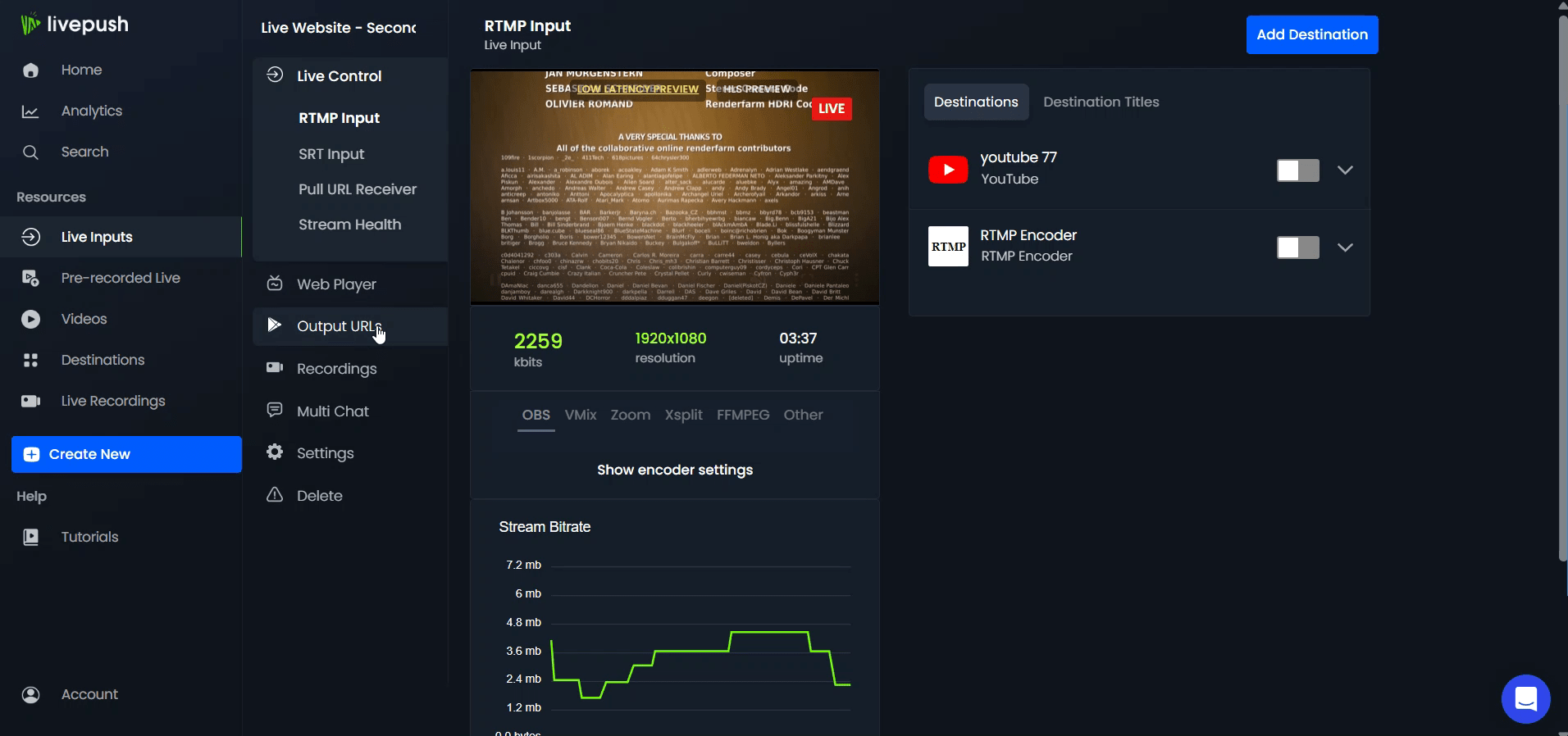
Direct HLS Live Streaming means you get a ready-to-use .m3u8 URL the moment you go live. There is no CDN setup, no separate encoding infrastructure, and no custom playback stack to manage.

Copy the link and use it anywhere: embed it on your website, power a mobile app, hand it to a partner workflow, or play it on Smart TVs. Livepush handles adaptive bitrate switching and Akamai CDN delivery behind the scenes.

.m3u8 URL
Website Mobile app Smart TV HLS.js
One live input, one HLS output
Livepush turns your broadcast into a direct .m3u8 URL you can copy, embed, or pass into downstream players.
Adaptive playback on every screen
Viewers get smooth playback across browsers, mobile devices, OTT apps, and Smart TVs with adaptive bitrate delivery.
Secured CDN delivery included
Protect playback with tokenized URLs, domain rules, geo controls, DVR, and Akamai-backed delivery from the same workflow.

Adaptive Bitrate (ABR) Streaming

Livepush outputs multiple quality renditions in every .m3u8 playlist. Each viewer’s player picks the highest quality their connection can sustain and switches up or down in real time, with no manual profile selection and no rebuffering on quality change.

  • Multi-rendition .m3u8 playlist generated server-side on every live session
  • Player switches renditions per viewer based on bandwidth, from 4G mobile to gigabit fiber
LIVE
1080p
Adaptive Bitrate Selection LIVE
1080p 5,800 kbps ACTIVE
720p 2,800 kbps ready
480p 1,200 kbps ready
360p 600 kbps ready

Cross-Platform Compatibility

A single .m3u8 URL from Livepush plays natively on every major platform. No conversion, no per-platform encoding, and no extra infrastructure. The HLS standard handles compatibility everywhere your audience watches.

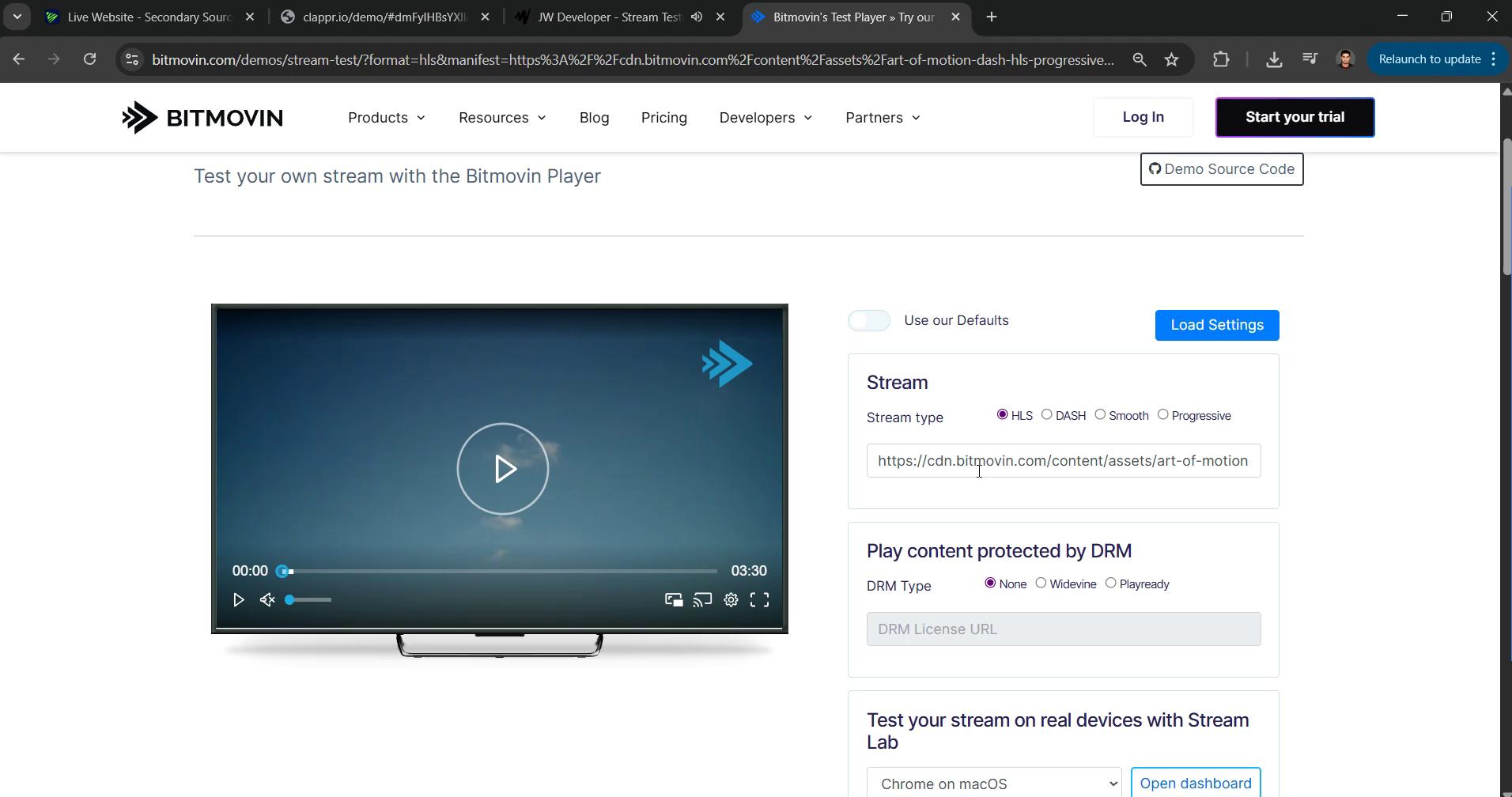
Already have an HLS URL? Test it in our free HLS player →
  • iOS AVPlayer, Android ExoPlayer, and all major desktop browsers accept the URL natively
  • Works on Samsung/LG Smart TVs, Roku, Fire TV, and Apple TV OTT apps without modification
Supported Platforms HLS
Web Browser hls.js / native
iOS AVPlayer native
Android ExoPlayer
Smart TV Samsung / LG
Roku OTT streaming
Fire TV Amazon OTT

Low-Latency Global Delivery via Akamai CDN

Every HLS stream on Livepush is delivered through Akamai’s global CDN. Stream segments are cached on edge nodes close to each viewer, cutting delivery delay and keeping playback smooth regardless of where your audience is watching from.

  • Akamai’s 300+ Tbps CDN network included on every Livepush plan, no extra setup
  • Edge caching minimizes round-trip distance for viewers in North America, Europe, and Asia
CDN Delivery Network
Encoder
OBS / hardware
Livepush
Ingest + transcode
Akamai CDN
300+ Tbps
🇺🇸 North America
1.8s
🇬🇧 Europe
2.1s
🇸🇬 Asia Pacific
2.4s
🇧🇷 South America
2.7s
🇿🇦 Africa
3.1s
🇦🇪 Middle East
2.9s

Live Rewind & Instant DVR Switching

Viewers can jump back in a live stream without leaving it. The player keeps the DVR window open automatically so a viewer who joins 30 minutes late can catch up from the start while the stream is still running.

  • Switch between live and DVR playback instantly with no stream interruption
  • DVR window stays open for up to 12 hours of active broadcast
LIVE
◀◀−02:14:38
DVR Playback LIVE
00:00:00 02:14:38 LIVE ●
⏮ −30s
⏪ −10m
⏫ −1h
▶ Go Live

Segment Playback from DVR

Play or clip any portion of a live session directly from the DVR buffer. Send a timestamped .m3u8 URL to a collaborator or embed a specific segment for on-demand viewing, with no post-processing step.

  • Access any segment from the last 12 hours of an active stream via timestamped URL
  • Clip a 2-hour highlight from a longer broadcast for distribution without re-encoding
DVR
◀◀ −33:12
Segment Clip Selector stream.m3u8
Full broadcast · 3h 12m
00:00 01:02 ← start 02:47 → end 03:12
Selected: 1h 45m clip
stream.m3u8?start=3720&end=10020

Automatic MP4 Recordings

Every Livepush session is recorded automatically. No toggle, no setup. Once your stream ends, the file processes in the background and appears as a downloadable MP4 in your dashboard within minutes.

  • Recording starts automatically the moment you go live
  • MP4 is ready to download within minutes of your stream ending
  • Use it for YouTube uploads, VOD channels, or clip editing
Recordings MP4
conference-day1.mp4
Processing…
webinar-june-12.mp4
1h 48m · 2.1 GB
↓ Download
product-launch.mp4
45m · 890 MB
↓ Download

Secured M3U8 Links

Livepush signs every .m3u8 URL with a time-limited token. Links expire automatically after a configurable window, so a leaked URL becomes invalid before it can be shared further.

  • Tokenized .m3u8 URLs are time-limited and signed, preventing hotlinking and link leakage
  • Only authorized viewers with a valid token can initiate or continue playback
Secure Token URL
https://live.livepush.io/stream/abc123/ ?token=eyJhbGciOiJIUzI1N... &expires=1751668800 &sig=d4f9c2a7e1b0 playlist.m3u8
🔒 Token-signed
⏱ Auto-expires
🌐 CDN-enforced

Location-Based Access Controls

Set a country or region allowlist in your Livepush dashboard and the Akamai CDN edge enforces it. Viewers outside the allowed zones receive a 403 response. The stream segment never leaves the CDN toward their location.

  • Geo-blocking enforced at the CDN edge, not at the application layer
  • Restrict by country or region to meet broadcast rights and licensing requirements
Geo Access Control Cloudflare
🇺🇸 United States ✓ Allowed
🇬🇧 United Kingdom ✓ Allowed
🇨🇦 Canada ✓ Allowed
🇦🇺 Australia ✓ Allowed
🌐 All other regions ✕ Blocked
Blocked viewers receive HTTP 403. No segment delivered

Domain & Referrer Restrictions

Lock your .m3u8 URL to a list of approved domains. Attempts to embed the stream on unauthorized pages are blocked at the CDN level, keeping your stream on the platforms you control.

  • Allow playback only on approved domains. All other referrers are blocked automatically
  • CDN-level enforcement means the restriction holds even if your token is shared
Domain Allowlist Cloudflare
yoursite.com approved
app.yoursite.com approved
partners.io approved
unknown-site.net 403

SDK & Player Support

Your existing video stack connects to Livepush without any code changes. Video.js, ExoPlayer, iOS AVPlayer, and Android MediaPlayer all accept the .m3u8 URL directly. No wrapper library or SDK to install.

  • Video.js, ExoPlayer, iOS AVPlayer, and Android MediaPlayer work out of the box
  • Pass the .m3u8 URL as the source. No SDK installation or wrapper code required
Player SDK Compatibility
Video.js
Web · hls.js backend
✓ Native support
ExoPlayer
Android · AOSP
✓ Native support
AVPlayer
iOS · macOS
✓ Native HLS
MediaPlayer
Android · legacy
✓ Native support

Custom API for Developers

Livepush’s REST API exposes stream creation, token generation, DVR segment retrieval, and analytics. Automate your entire live streaming workflow programmatically without touching the dashboard.

  • Manage streams, generate access tokens, and pull analytics via REST, fully documented
  • Automate DVR segment retrieval and security rule updates without manual dashboard access
REST API livepush.io/api/v1
POST /streams/token
Authorization: Bearer sk_live_••••••••
200 OK
{ "m3u8_url": "https://live.livepush.io /stream/abc123/playlist.m3u8 ?token=eyJhbGci...", "expires_at": "2026-07-05T18:00:00Z", "stream_id": "abc123" }

Simple, transparent pricing.

Trusted by broadcasters, media teams, and enterprises

Free 20 hrs per month, included

No credit card. No time limit.

Start free

What our customers say

Reviewed on Trustpilot and Capterra by streamers, broadcasters, and teams worldwide.

Go live today. No setup required.

Join thousands of streamers, broadcasters, and communities already on Livepush.

HLS Live Streaming:
Technical Questions

Common questions about .m3u8 URLs, adaptive bitrate, player integration, and security.

What is an .m3u8 URL and how does it work?
An .m3u8 URL is the playlist file at the heart of HLS (HTTP Live Streaming). It tells compatible players where to find the video segments for your live stream and which quality levels are available. When a viewer loads your stream, their player reads the .m3u8 file, fetches the right quality segments for their connection speed, and plays them back seamlessly. Livepush generates a secure, CDN-backed .m3u8 URL automatically when you start a stream.
What is adaptive bitrate streaming in HLS?
Adaptive bitrate (ABR) streaming means the player automatically switches between quality levels (for example 1080p, 720p, and 480p) based on the viewer's available bandwidth. If their connection slows down mid-stream, the player drops to a lower quality to avoid buffering. When the connection improves, it steps back up. Livepush encodes your stream at multiple bitrates so every viewer gets the best quality their connection allows.
How do I use a Livepush HLS link in an iOS or Android app?
iOS supports HLS natively via AVPlayer: pass your .m3u8 URL directly as the playback URL and it works without any additional libraries. On Android, use ExoPlayer or MediaPlayer with the .m3u8 URL as the media source. Livepush's .m3u8 links follow the HLS spec, so they work with both native players and third-party SDKs out of the box.
How do I embed an HLS stream in Video.js or hls.js?
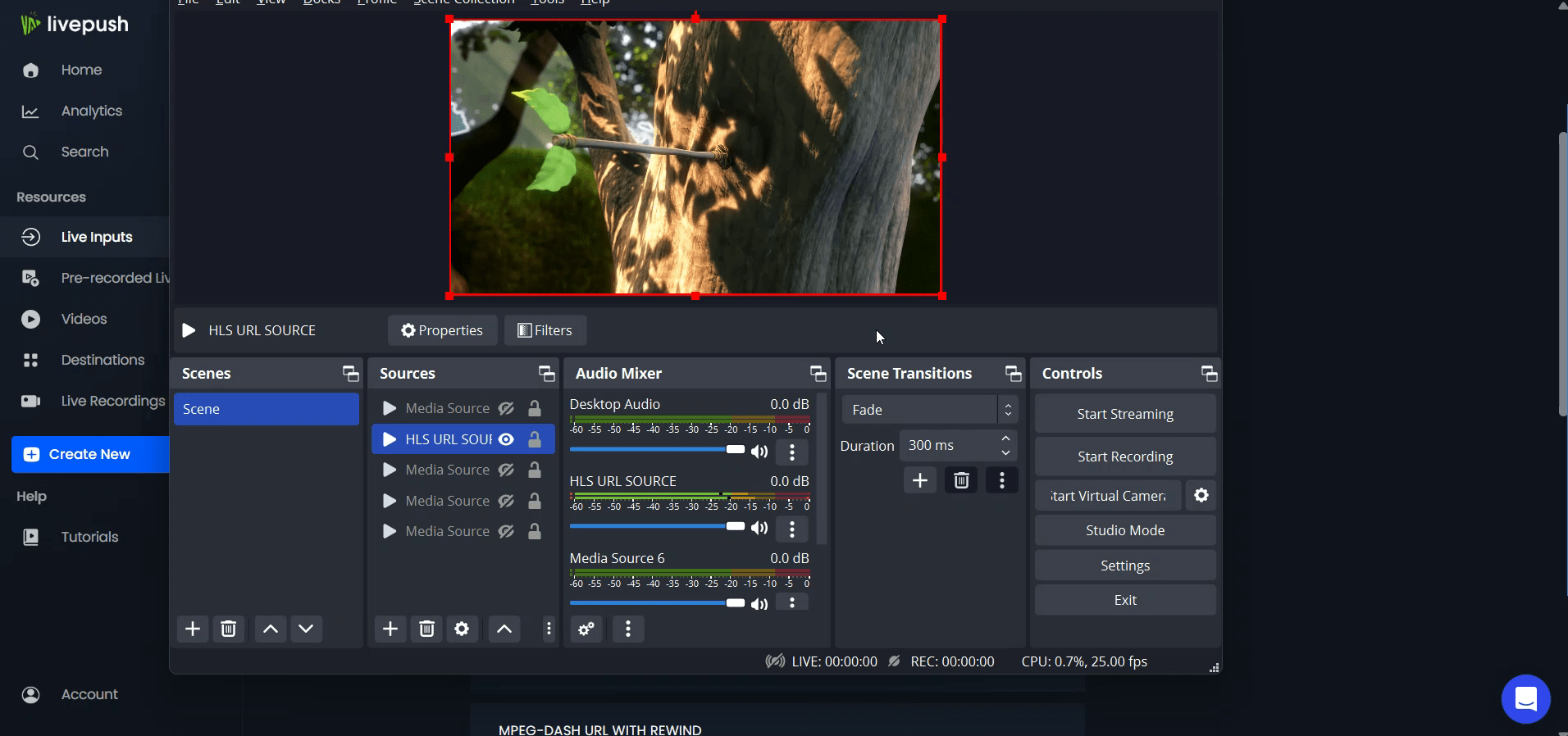
Both Video.js and hls.js accept .m3u8 URLs directly. For hls.js, attach the library, create a new Hls() instance, load your .m3u8 URL with hls.loadSource(), and bind it to a <video> element with hls.attachMedia(). For Video.js, set the source type to "application/x-mpegURL" and pass your Livepush .m3u8 URL as the src. Livepush's "Embed in Web Players" demo above shows the exact steps.
Can I restrict who can watch my HLS stream?
Yes. Livepush supports token-based URL signing, time-limited links, geo-blocking (restrict by country or region), and domain/referrer restrictions. Secured .m3u8 URLs expire after a set time, preventing sharing or hotlinking. These security controls are available on Event Hosting plans and configured directly from your Livepush dashboard.
What is the difference between HLS streaming and RTMP?
RTMP is the encoder-to-server ingest protocol: you use it to send your stream from OBS, vMix, or another encoder into Livepush. HLS is the delivery protocol, how Livepush sends your stream out to viewers in their browser, app, or Smart TV. They work together: your encoder pushes RTMP to Livepush, and Livepush transcodes it into an adaptive HLS stream delivered via Akamai CDN.
Does Livepush HLS streaming support DVR and time-shifting?
Yes. Livepush maintains a DVR window so viewers can pause, rewind, and catch up to a point in your live stream without missing content. You can also play back or trim specific segments from the DVR window, for example jumping to a moment two hours into a long broadcast. DVR is available on Event Hosting plans.