StreamYard earned its popularity honestly. It made going live with guests as easy as sharing a link, and for interviews, panels, and talk shows it is still one of the most polished browser studios around. But since Bending Spoons acquired it in 2024 and restructured its plans, prices have climbed steeply, the free tier has tightened, and a lot of creators are asking whether they are paying a studio price for what is, in their workflow, mostly a multistreaming job.
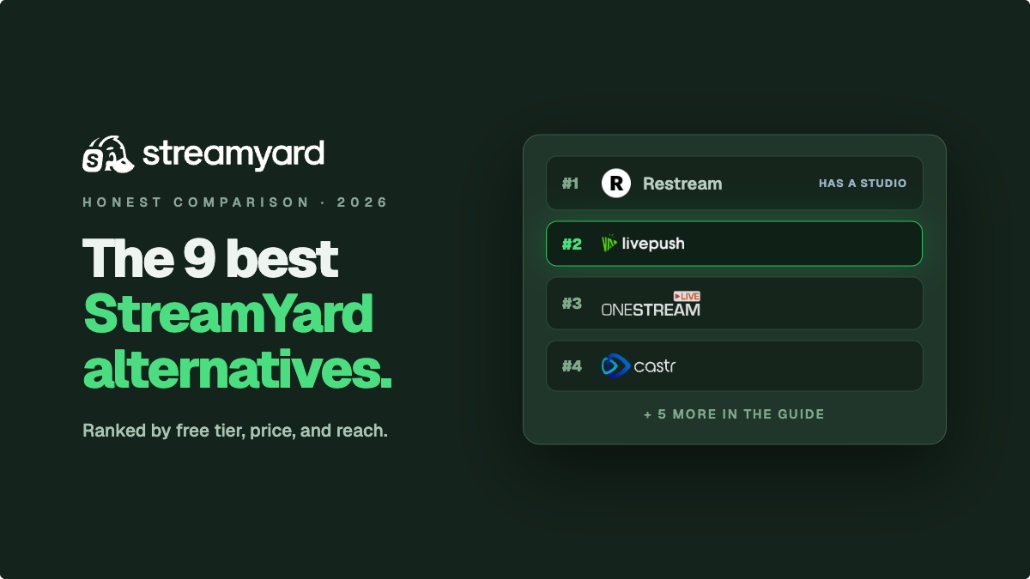
This guide compares 9 credible StreamYard alternatives in 2026. One framing will save you a lot of confusion: StreamYard is a browser studio first (guests, overlays, layouts) with multistreaming attached. Its alternatives split into two camps. Some are other studios, browser-based or desktop. Others are encoder-plus-multistreamer stacks, where you produce in OBS or similar and a cloud service fans your stream out. Livepush, the platform behind this blog, sits honestly in the second camp: it is not a browser studio, and we will not pretend it is. Pricing changes often, so treat every figure below as an approximate entry point and confirm on each provider's site.
Why People Look Beyond StreamYard
Four complaints come up again and again:
- Price rises. After the Bending Spoons acquisition (2024), StreamYard's legacy plans were retired and replaced with tiers that cost substantially more. The entry paid plan (Core) now runs around $45/month, roughly $36/month billed annually, which is more than double what many long-time users were paying on old plans.
- A restrictive free tier. The free plan allows a single destination, adds the StreamYard watermark, streams in standard definition, and caps local recording at around 2 hours per month. It is a demo more than a working plan.
- Guest and destination ceilings. Core caps you at 3 destinations. Getting to 8 destinations, 4K recording, or larger backstage capacity means Advanced at around $89/month.
- Studio-only multistreaming. StreamYard only multistreams shows produced inside its own studio. You cannot point OBS or a hardware encoder at it and have it distribute that feed. If you already have an encoder setup you like, StreamYard cannot use it, a limitation we cover in depth in Restream vs StreamYard.
If none of those bite you, StreamYard remains a very good tool. If one of them does, here is the field.
Quick Comparison of StreamYard Alternatives
| Tool | Type | Free tier | Entry price | Best for |
|---|---|---|---|---|
| Restream Studio | Browser studio + multistreamer | Yes (2 destinations) | ~$19/mo | Cheapest like-for-like StreamYard swap |
| Riverside | Browser studio (recording-first) | Yes (2 hrs total, 720p) | ~$24-29/mo (live from ~$34-39/mo) | Podcasts and high-quality recordings |
| OBS Studio | Desktop encoder/studio | Fully free | $0 | Full control at zero cost |
| Livepush + OBS | Cloud multistreamer stack | Yes (3 dest, 20 hrs/mo) | ~$15/mo | Multi-platform reach with your own encoder |
| Ecamm Live | Desktop studio (Mac) | Trial only | ~$20/mo | Mac creators who want pro production |
| vMix | Desktop studio (Windows) | Trial (60 days) | One-time from ~$60 | Professional productions and events |
| Streamlabs Talk Studio | Browser studio | Trial only (7 days) | ~$9/mo (1 dest), ~$17/mo (multistream) or via Ultra | Streamlabs users and simple browser shows |
| OneStream Live | Multistreamer + light studio | Yes (2 dest, 720p) | ~$15/mo (~$12/mo annual) | Scheduled and pre-recorded social streams |
| Zoom | Meetings/webinars with RTMP out | Yes (meetings) | ~$14-17/mo per host + add-ons | Teams already living in Zoom |
Streaming vendors change plans constantly, and StreamYard itself is the proof: its 2024 restructure retired six legacy tiers overnight. Every price here is an approximate entry point. Confirm current tiers, destination caps, and recording limits on each provider's own pricing page before you commit.
The 9 Best StreamYard Alternatives
1. Restream Studio
Restream Studio is the closest like-for-like swap. It is a browser studio with guest invites, overlays, banners, and layouts, attached to one of the most mature multistreaming backends in the business. Two things make it compelling against StreamYard: the entry paid plan is around $19/month (about $16/month annually), less than half of StreamYard Core, and Restream also accepts an external feed from OBS or a hardware encoder, which StreamYard does not. The studio itself is slightly less polished than StreamYard's in layout finesse, but it covers the same core jobs.
Best for: Creators who want the StreamYard experience at a lower price, with an OBS escape hatch.
Pros: Much cheaper entry, browser studio plus encoder ingest, free plan with 2 destinations, unified chat.
Cons: Studio polish and guest experience trail StreamYard slightly, and higher tiers get expensive. The full head-to-head is in our Restream vs StreamYard comparison, and the wider field is in best Restream alternatives.
2. Riverside
Riverside comes at the studio idea from the recording side. Its signature feature is local recording: every participant's audio and video is captured on their own device in up to 4K with separate tracks, then uploaded, so a guest's shaky Wi-Fi does not ruin your edit. It has grown into live streaming too, with 1080p live streaming to platforms available on its Grow plan (around $39/month, or $34/month billed annually), plus AI transcription, clips, and editing tools. As a live-first tool it is younger than StreamYard, but as a record-first tool it is clearly ahead.
Best for: Podcasters and interview shows where the recording matters more than the live broadcast.
Pros: Best-in-class separate-track local recording, strong AI editing and clips, free tier to test (2 hours of recording total, 720p), live streaming on Grow.
Cons: Live streaming is gated to Grow and is not the product's center of gravity, and destination counts are modest compared with dedicated multistreamers.
3. OBS Studio
OBS Studio is the free, open-source power option, and for many streamers it is the honest answer. It gives you unlimited scenes, sources, filters, audio routing, and plugins, with no watermark, no time caps, and no subscription, forever. The trade-offs are real: it runs on your machine, there is a learning curve, there are no built-in guest invites (most people add VDO.Ninja for remote guests), and it streams to a single destination by default. Solve the last gap with a cloud multistreamer, which we walk through in how to multistream from OBS.
Best for: Creators who want maximum control and zero software cost, and do not mind a setup phase.
Pros: Completely free, hugely capable, massive plugin ecosystem, works with every service on this list that accepts RTMP.
Cons: Steeper learning curve, guest workflow requires extra tools, single destination without a multistreaming service, and quality depends on your hardware.
4. Livepush + OBS (the multistream stack)
Livepush is not a browser studio, and this entry is deliberately framed as a stack: you produce in OBS (or vMix, Ecamm, or any RTMP or SRT encoder) and Livepush handles distribution, fanning one feed out to 40+ platforms simultaneously. That split matters because it is often what people actually wanted from StreamYard. If the studio features went mostly unused and multistreaming was the point, this stack does that job for a fraction of the price: the free plan includes 3 simultaneous destinations and 20 hours per month, and paid plans start at $15/month with Pro, adding more destinations, Facebook streaming (Pages, Groups, and profiles are not included in the free plan), pre-recorded live, and 24/7 looping channels. The multistreaming feature page covers the destination list and how the fan-out works.
Best for: Creators who already encode in OBS and want cheap, wide multi-platform reach.
Pros: Generous free plan, 40+ destinations, pre-recorded and 24/7 live, hosted HLS player, keeps your existing OBS setup.
Cons: No built-in browser studio or guest invites, so you bring your own production layer. The dedicated StreamYard alternative page lays out exactly where this stack fits and where it does not.
5. Ecamm Live (Mac)
Ecamm Live is the Mac creator's production suite. It is a desktop app rather than a browser tool, with scenes, overlays, picture-in-picture, Interview mode for remote guests, camera switching, and deep macOS integration (including using an iPhone as a camera). Plans run around $20/month for Standard and $40/month for Pro, with annual discounts. Compared with StreamYard you trade the join-by-link browser simplicity for noticeably more production power on a single well-supported platform.
Best for: Mac-based creators and streamers who want pro-level production without OBS-level complexity.
Pros: Polished Mac-native production, guest interviews, strong community and tutorials, reasonable pricing.
Cons: Mac only, no free tier beyond a trial, and multistreaming to many destinations still benefits from pairing it with a cloud multistreamer.
6. vMix (Windows)
vMix is the professional heavyweight. It runs on Windows and delivers broadcast-grade production: multiple cameras, NDI, instant replay, virtual sets, titles, and its own remote guest system, vMix Call. Licensing is a one-time purchase starting around $60 for basic HD and rising toward $1,200 for the full Pro feature set, which many event teams prefer over a subscription that never ends. It is overkill for a solo webcam show and exactly right for conferences, sports, and church productions with real switching needs.
Best for: Windows-based production teams, event streamers, and houses of worship with multi-camera setups.
Pros: Deep professional feature set, one-time license, vMix Call for remote guests, 60-day free trial.
Cons: Windows only, a real learning curve, needs capable hardware, and wide multistreaming still leans on your bandwidth unless you send one feed to a cloud multistreamer.
7. Streamlabs Talk Studio (formerly Melon)
Melon, the lightweight browser studio, was absorbed into the Streamlabs ecosystem and now lives on as Streamlabs Talk Studio. The pitch is unchanged: open a browser tab, invite guests, add simple branding, and go live to multiple platforms with minimal setup. There is no free plan beyond a 7-day trial; Talk Studio Standard is $9/month for a single destination, Pro is $17/month with unlimited destinations, and Pro is bundled with Streamlabs Ultra, which starts around $16/month and also includes Streamlabs Desktop themes, alerts, and other creator tools. It is simpler than StreamYard, which is either its weakness or its whole appeal.
Best for: Streamlabs users, and solo creators who want the simplest possible browser studio.
Pros: Very easy to use, bundled value inside Ultra, 7-day trial to test, familiar ecosystem for gaming creators.
Cons: Fewer layout and branding options than StreamYard, gaming-flavored ecosystem, and the $9 Standard tier is limited to a single destination.
8. OneStream Live
OneStream Live pairs a lightweight browser studio with an unusually broad multistreaming and scheduling engine. It supports 45+ destinations, has a free tier, and its entry paid plan starts at $15/month (about $12/month billed annually), which is among the cheaper options in the category. Its standout capability is pre-recorded live: upload a video and schedule it to broadcast as a live stream across your social platforms. The studio is basic next to StreamYard's, but as a distribution and scheduling tool it punches above its price.
Best for: Social-first creators who schedule content ahead and want pre-recorded broadcasts on a budget.
Pros: Low entry price, huge destination list, strong scheduling and pre-recorded workflow, free tier exists.
Cons: The studio is the weakest part, and the free tier is capped at 2 destinations, 720p, and 15 minutes per pre-recorded stream. See how it stacks up in our best multistreaming platforms roundup.
9. Zoom
Zoom is the crossover option, and it deserves an honest caveat up front: it is a meetings product, not a streaming studio. But many teams already pay for it, everyone knows how to join, and a Zoom meeting or webinar can be pushed to YouTube, Facebook, or a custom RTMP endpoint. Pro plans run around $14 to $17/month per host depending on billing term, with webinar capacity sold as an add-on. The production ceiling is low: layouts are meeting layouts, branding is limited, and the streamed output looks like what it is. Route Zoom's custom RTMP output through a multistreamer, however, and a familiar meeting becomes a serviceable multi-platform broadcast.
Best for: Companies and communities already standardized on Zoom who occasionally need to broadcast publicly.
Pros: Zero learning curve for participants, reliable at scale, existing licenses often cover it, RTMP output for custom destinations.
Cons: Meeting-grade production values, limited overlays and branding, webinar features cost extra, and it is nobody's first choice as a dedicated streaming studio.
Where StreamYard Still Makes Sense
In fairness, no alternative here beats StreamYard at everything. Its studio remains one of the most polished: guests join reliably from a link, layouts stay clean with several people on screen, and paid plans include unlimited local recording with 4K on Advanced plus AI clips. If you produce branded multi-guest shows weekly, use the recordings heavily, and the roughly $45/month Core price fits your budget, switching may cost you more in workflow disruption than it saves in fees.
The case for moving is strongest when a specific limit is costing you: the single-destination watermarked free tier, the post-acquisition price ladder, or the hard rule that StreamYard only distributes shows made inside its own studio. Match the alternative to the limit, not to the hype.
How to Choose the Right StreamYard Alternative
Different shows need different tools. Some honest rules of thumb:
- Interview and panel shows: Restream Studio is the closest direct swap at a lower price. If budget is not the issue, staying with StreamYard is defensible.
- Podcasts and repurposed content: Riverside, because separate-track local recording beats any live-first tool when the edit is the product.
- Churches, conferences, and events: vMix on Windows or Ecamm Live on Mac for multi-camera production, with a cloud multistreamer handling distribution.
- Solo streamers on a budget: OBS Studio for production, and Streamlabs Talk Studio or OneStream Live if you want to stay in the browser.
- Maximum multi-platform reach: an encoder plus Livepush, which fans one feed out to 40+ destinations and starts free with 3 simultaneous destinations. The setup takes an evening, and our OBS multistreaming guide covers it step by step.
StreamYard bundles production and multistreaming into one subscription, so its price covers both jobs whether you use both or not. Unbundling them, a studio or encoder you like plus a multistreamer that is good at fan-out, often costs less and lets you upgrade each half independently.
There is no single best StreamYard alternative for everyone. If you want the same shape for less money, start with Restream Studio. If recording quality drives your show, test Riverside. If you are ready to own your production, OBS is free and Ecamm and vMix scale up from there. And if multistreaming was the real reason you signed up for StreamYard, pair the encoder you already like with the Livepush multistream stack and keep the studio money in your pocket. Run one real stream through each shortlisted tool before deciding, and compare plans on the Livepush pricing page when you are ready to test the stack approach.
See for yourself: free for 20 hours/month
Create a free account. No credit card needed. 3 destinations included.