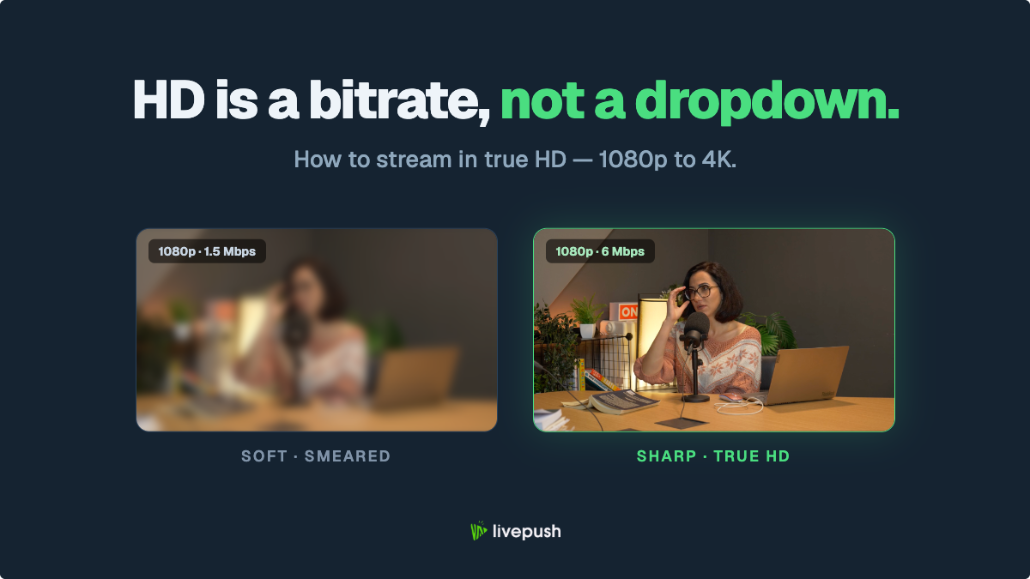
Bandwidth is the most fundamental constraint in live streaming. Too little, and your stream buffers. Too much overhead wasted on unnecessary quality, and you're paying for bandwidth you don't need. This guide gives you exact numbers for every resolution and explains how to get the most out of your connection.
Understanding the Difference Between Bitrate and Upload Speed
Bitrate is the rate at which your encoder (OBS) sends video data, measured in Kbps or Mbps.
Upload speed is your internet connection's capacity to send data, also measured in Mbps.
For streaming to work without interruption, your upload speed must comfortably exceed your streaming bitrate. The rule used throughout this guide: keep your bitrate at or below about 70% of your measured upload speed (equivalently, have at least 1.4x the bitrate in upload). The headroom covers protocol overhead, connection fluctuations, and other background traffic.
Bitrate Requirements by Resolution
Standard Bitrate Recommendations
| Resolution | FPS | Bitrate (min) | Bitrate (recommended) | Upload Needed |
|---|---|---|---|---|
| 480p | 30 | 1,000 Kbps | 1,500–2,000 Kbps | 3 Mbps |
| 720p | 30 | 2,500 Kbps | 3,000–4,000 Kbps | 6 Mbps |
| 720p | 60 | 3,500 Kbps | 4,500–5,000 Kbps | 7 Mbps |
| 1080p | 30 | 4,000 Kbps | 4,500–6,000 Kbps | 8.5 Mbps |
| 1080p | 60 | 5,000 Kbps | 6,000–8,000 Kbps | 11 Mbps |
| 4K | 30 | 12,000 Kbps | 15,000–20,000 Kbps | 28 Mbps |
"Upload Needed" is 1.4x the top of the recommended range, so the bitrate stays at or below 70% of your upload.
Platform-Specific Limits
Some platforms cap or constrain ingest bitrate regardless of what you send (figures checked October 2026):
| Platform | Video Bitrate Limit |
|---|---|
| YouTube | No fixed cap; recommended about 14,000 Kbps for 1080p30, 17,000 Kbps for 1080p60, 34,000 Kbps for 1440p60, 50,000 Kbps for 4K60 (H.264). 4,500–9,000 Kbps still produces a clean 1080p stream in practice |
| Facebook Live | 6,000 Kbps at 1080p30, 9,000 Kbps at 1080p60 (4,000 Kbps was the old 720p30 ceiling) |
| Twitch | 6,000 Kbps for standard streams; Enhanced Broadcasting (since June 17, 2026) allows up to 7,500 Kbps at 1080p and 9,000 Kbps at 1440p for Affiliates and Partners |
| Kick | Up to 8,000 Kbps, CBR, RTMPS (viewer playback capped at 720p60 until the channel passes an engagement threshold) |
| Instagram Live | 2,250–6,000 Kbps recommended, 9:16 at 720x1280, 30 fps (Live Producer) |
How Much Upload Do I Actually Need?
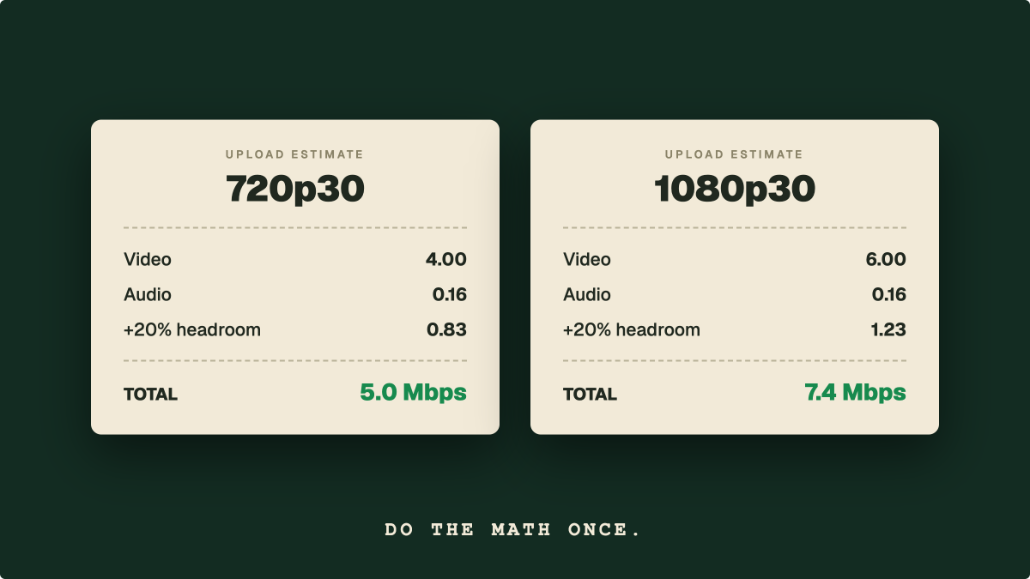
The formula: Required Upload = Bitrate × 1.4 (the same thing as keeping your bitrate at or below 70% of your upload)
The 1.4× factor accounts for:
- RTMP/SRT protocol overhead
- Network jitter headroom
- Other background traffic (DNS, system updates, etc.)
Examples:
- 4,500 Kbps stream → need at least 6.3 Mbps upload
- 6,000 Kbps stream → need at least 8.4 Mbps upload
- 8,000 Kbps stream → need at least 11.2 Mbps upload
Multistreaming and Bandwidth
When you multistream using a cloud service like Livepush, your bandwidth usage doesn't multiply. You send one stream to Livepush, and Livepush fans it out to all destinations. Your upload requirement stays at one stream's worth.
OBS (6,000 Kbps) → Livepush → YouTube  (6,000 Kbps)
                            → Facebook (6,000 Kbps)
                            → Twitch   (6,000 Kbps)
Your upload: 6,000 Kbps. Livepush's outbound: 18,000 Kbps (their infrastructure, not yours).
Pick a bitrate that every destination accepts: 6,000 Kbps sits within Facebook's 1080p30 range, Twitch's standard limit, and YouTube's recommended range, so it works for all three without changes.
How to Test Your Actual Upload Stability
A speed test number is misleading because it measures peak speed, not stability. What matters for streaming is consistent throughput over time.
Better tests:
- speedtest.net: Run 5 times at different hours. Note the lowest result. That's your reliable floor.
- OBS bandwidth test: OBS's Auto-Configuration Wizard (Tools menu) runs a bandwidth test against your chosen platform's ingest servers and suggests a safe bitrate
- Waveform monitor: Tools like PingPlotter show packet loss and latency spikes over time
Signs your connection isn't stable enough:
- Speed varies by more than 30% between tests
- Ping spikes above 100ms intermittently
- Packet loss above 0.5% on any test
Optimizing Your Connection for Streaming
Use Ethernet, Not Wi-Fi
Wi-Fi introduces variable latency and occasional packet drops, even at high speeds. A wired Ethernet connection to your router eliminates most variability.
Prioritize Streaming Traffic (QoS)
Most modern routers support Quality of Service (QoS), a setting that prioritizes specific traffic types. Set QoS to prioritize your streaming PC or the RTMP port (1935).
Stream During Off-Peak Hours
Residential internet plans often share bandwidth with neighbors. Usage typically peaks 7–10 PM. Streaming in the morning or early afternoon can provide more consistent bandwidth.
Consider a Dedicated Upload Connection
For professional streaming, a business-grade connection with guaranteed upload bandwidth (and no throttling) makes a significant difference. Business fiber plans typically provide symmetric speeds with SLAs.
What to Do When Your Connection Isn't Fast Enough
If your upload can't support 1080p at 6,000 Kbps (roughly 8.5 Mbps):
- Lower resolution: 720p at 3,000 Kbps looks better than 1080p at 3,000 Kbps
- Use cloud streaming: Upload pre-recorded content to Livepush and stream it from the cloud, so no upload bandwidth is required during the broadcast
- Reduce stream duration: Shorter, more reliable streams are better than long sessions with frequent drops
Multistream without multiplying your upload
One stream to Livepush, free for 20 hours/month.