Search for "free RTMP server" and you get two very different kinds of answers: open source software you run yourself, and hosted services with a free tier. Both are legitimate, and both are genuinely free in the sense that matters to your wallet, but they trade cost for effort in opposite directions. This guide covers what an RTMP server actually does, six free options worth considering in 2026, a hands-on setup for the easiest one, and an honest accounting of the hidden costs nobody puts on the download page.
What an RTMP Server Actually Does
An RTMP server is the receiving end of the connection your encoder makes when you hit "Start Streaming." OBS, vMix, and hardware encoders push video over the RTMP protocol to a server listening on TCP port 1935. That receiving job is called ingest, and it is the one thing every RTMP server does.
Most servers then do one or both of these follow-up jobs:
- Repackage the stream into HLS (or WebRTC) so browsers, phones, and smart TVs can actually play it, since nothing plays raw RTMP anymore.
- Relay the stream onward, pushing copies out via RTMP to other destinations such as YouTube, Twitch, or Facebook. This relay pattern is the mechanical basis of multistreaming.
That is the whole product: receive, repackage, relay. The differences between the options below come down to which of those jobs they do well and how much work they demand from you. For how RTMP ingest fits alongside SRT and HLS in the full pipeline, see our RTMP vs SRT vs HLS comparison.
Do You Actually Need Your Own?
Before profiling the software, a filter question, because self-hosting is the right answer less often than the tutorials suggest.
Running your own RTMP server makes sense when:
- You stream on a LAN (church overflow rooms, office all-hands, camera monitoring) and the video never needs to leave the building.
- You need a local preview or recording tier in front of your main platform.
- Privacy or compliance rules keep the video off third-party infrastructure.
- You want to learn how streaming infrastructure works, which is a perfectly good reason.
A hosted server is usually the right answer when:
- Viewers are on the public internet and you have no CDN.
- You want to multistream, because relaying from home multiplies your upload bandwidth per destination.
- The stream matters enough that "my home server hiccuped" is not an acceptable failure mode.
Every major platform already includes RTMP ingest for free: YouTube, Twitch, and Facebook all hand you an ingest URL and a stream key at no cost. A hosted RTMP server like Livepush's sits in the same category but adds a player, embedding, and restreaming on top. If your goal is "get my stream somewhere viewers can watch it," that category is hard to beat on effort.
The 6 Options
1. MediaMTX
MediaMTX (formerly rtsp-simple-server) has become the default recommendation for a self-hosted media server, and it earns it. It is a single static binary written in Go, MIT licensed, with no dependencies: download, run, done. It ingests RTMP, RTSP, SRT, WebRTC, MPEG-TS, and more, and serves streams back out as HLS (including low-latency HLS), WebRTC, RTSP, RTMP, and SRT, so one process covers both the ingest and repackaging jobs. It is actively maintained with frequent releases.
Honest take: the best starting point for almost everyone self-hosting. Configuration is one YAML file, defaults are sensible, and it runs on anything from a Raspberry Pi to a beefy VPS. What it does not give you is a viewer-facing website, chat, or any UI: it is a server, not a platform.
2. SRS (Simple Realtime Server)
SRS is a high-performance media server written in C++, MIT licensed, with a large community (especially in China) and a long track record. It handles RTMP, HLS, HTTP-FLV, SRT, and WebRTC, supports clustering for scale, and has first-class Docker images. The name undersells it: "simple" refers to deployment, not capability.
Honest take: the strongest option when raw performance and concurrent-connection capacity matter, and the clustering support is real. The documentation has improved a lot but still assumes more streaming knowledge than MediaMTX does, and some of the deeper guides exist primarily in Chinese.
3. Nginx with the RTMP Module
The classic. The nginx-rtmp-module bolts RTMP ingest, HLS output, and RTMP push relaying onto the Nginx web server, BSD licensed. A decade of tutorials cover it, and its push directive made it the traditional way to self-host multistreaming.
Honest take: it still works, but the original module has seen little active development for years, and you often need to compile Nginx with the module yourself (or hunt for a maintained fork or distro package). Choose it if you already run Nginx and want RTMP alongside your web server, or if you are following an established tutorial. For a fresh setup in 2026, MediaMTX does the same jobs with far less friction.
4. Owncast
Owncast is a different animal: not just a server but a complete self-hosted streaming platform, MIT licensed. One install gives you RTMP ingest, HLS output, a public stream page with a web player, live chat, viewer counts, an admin dashboard, and Fediverse integration. Point OBS at it and you have your own private Twitch.
Honest take: the best choice if the thing you want is "my own streaming website" rather than "a piece of infrastructure." The trade-off is focus: it is built for one streamer per instance, and you accept its opinions about the viewer experience. Delivery is still from your machine, so audience size is bounded by your bandwidth unless you put a CDN or object storage in front of it, which Owncast does support configuring.
5. OvenMediaEngine
OvenMediaEngine (OME) is an open source server (AGPL-3.0 for the server itself) focused on sub-second latency. It ingests RTMP, SRT, and WebRTC, and delivers via WebRTC and Low-Latency HLS, pairing with its own OvenPlayer for the browser side.
Honest take: the pick when latency is the entire point, such as auctions, interactive shows, or remote monitoring where 10 seconds of HLS delay is unacceptable. It is heavier to configure than MediaMTX (XML configuration, TURN/ICE considerations for WebRTC at scale), and the AGPL license deserves a read if you are embedding it in a commercial product.
6. Livepush Free Tier (Hosted, Zero Setup)
The sixth option is not software at all. Livepush's free tier includes an RTMP ingest endpoint on its infrastructure: you get a server URL and a stream key, point OBS at them, and the ingest, HLS repackaging, and player are already running in a datacenter. From the same dashboard you can add multistreaming destinations so one upload fans out to YouTube, Twitch, and other platforms without multiplying your home bandwidth. The free plan covers 3 destinations and 20 hours per month; Facebook (Pages, Groups, and profiles) is not included in the free plan and needs a paid plan, starting with Pro at $15/month.
Honest take: this is the zero-setup answer, and for public-facing streams it is usually the practical one. The trade-off mirrors self-hosting in reverse: no root access, no custom pipeline, and the free tier has limits (destinations, hours, Facebook) that a paid plan lifts. You are trading control for someone else carrying the operational load.
Comparison Table
| Option | License / cost | Difficulty | Best for | Notable limits |
|---|---|---|---|---|
| MediaMTX | MIT, free | Easy | General self-hosting, LAN streaming, relays | No viewer UI or chat; you build delivery yourself |
| SRS | MIT, free | Moderate | High-concurrency, clustered deployments | Steeper docs; overkill for one stream |
| Nginx-RTMP | BSD, free | Moderate-hard | Existing Nginx users, DIY multistream relay | Original module barely maintained; manual builds |
| Owncast | MIT, free | Easy-moderate | Your own Twitch-style stream page | One streamer per instance; delivery limited by your uplink |
| OvenMediaEngine | AGPL-3.0, free | Hard | Sub-second latency via WebRTC/LL-HLS | Complex config; AGPL matters for commercial embedding |
| Livepush free tier | Hosted, free tier | None | Public streams, multistreaming, no ops work | Free tier is 3 destinations and 20 hours/month, no Facebook; no server-level control |
Hands-On: A MediaMTX Server in About 10 Minutes
Here is the fastest route from nothing to a working RTMP server, using MediaMTX on Linux (the Windows and macOS steps are the same minus the tarball flags).
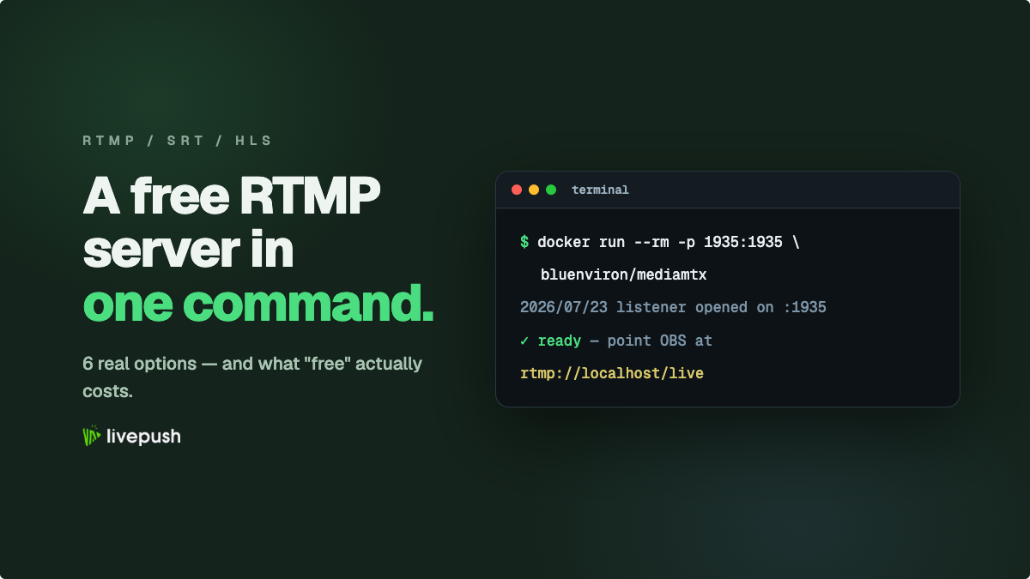
1. Download and unpack the binary from the MediaMTX GitHub releases page, picking the build for your OS and architecture (the version number is part of the filename, so there is no stable "latest" download link):
# Download the latest build for your OS from https://github.com/bluenviron/mediamtx/releases
# (the file is named like mediamtx_v1.21.2_linux_amd64.tar.gz)
tar -xzf mediamtx_v*_linux_amd64.tar.gz
./mediamtx
That alone starts a working server: RTMP on port 1935, HLS on 8888, RTSP on 8554.
2. Optionally trim the config. MediaMTX reads mediamtx.yml from the same directory. A minimal config that defines a live path and keeps RTMP and HLS on:
# mediamtx.yml (minimal)
rtmp: true
rtmpAddress: :1935

hls: true
hlsAddress: :8888

paths:
  live:
    source: publisher
3. Point OBS at it. In OBS go to Settings, then Stream, set Service to Custom, and enter:
- Server:
rtmp://localhost/live - Stream Key: leave it empty. MediaMTX uses the whole URL path as the stream name, so anything typed here becomes part of the path and would no longer match the
livepath above. When you expose the server beyond your LAN, set publish credentials underauthInternalUsersin the config and pass them asrtmp://localhost/live?user=NAME&pass=SECRET.
Hit "Start Streaming" and the MediaMTX log will show the incoming publisher.
4. Watch it. Open http://localhost:8888/live in a browser for the HLS output, or pull rtmp://localhost/live into VLC. Replace localhost with the machine's LAN IP to test from another device on your network.
The Hidden Costs of "Free"
The software is free. The rest of the system is where the bill shows up, paid in time and bandwidth rather than money.
- Port forwarding and networking. For anyone outside your LAN to reach your server, you must forward TCP 1935 (and your HLS port) through your router, and most home ISPs give you a dynamic IP, so add dynamic DNS to the list. CGNAT connections cannot do this at all without a tunnel or a VPS in front.
- Upload bandwidth multiplies when relaying. This is the one that surprises people. If you relay a 6 Mbps stream from your own server to YouTube, Twitch, and Facebook, your connection uploads 18 Mbps continuously, plus whatever your viewers pull. A hosted relay receives your 6 Mbps once and fans out from datacenter bandwidth, which is precisely why multistreaming from OBS through a service scales where a home relay chokes.
- No CDN. Every direct viewer is a full copy of the stream leaving your machine. Thirty viewers at 5 Mbps is 150 Mbps of sustained upload. Self-hosted delivery to a real audience means putting a CDN in front, and now you are running a distribution pipeline, not just a server.
- Maintenance and reliability. Updates, reboots, disk space for recordings, TLS certificates for RTMPS and HTTPS playback, and the fact that your stream is down whenever your machine or connection is. None of it is hard; all of it is recurring.
When to Graduate to a Hosted Service
Self-hosting stops being the right call at a fairly predictable point. Move to hosted ingest when any of these become true:
- Real viewers on the public internet. The moment an audience beyond your LAN matters, CDN-backed delivery beats a single box.
- Multistreaming to two or more platforms. The upload multiplication math rarely favors a home connection.
- The stream has stakes. Paid events, client work, weekly shows with an audience that notices downtime.
- Your time has value. If you are spending stream day debugging the server instead of the show, the free software is costing more than a subscription.
The workflows compose nicely, too: plenty of streamers run MediaMTX locally for preview and recording, then push to a hosted RTMP ingest endpoint that handles delivery and restreaming. Self-hosted and hosted are not enemies; they are different layers.
The Bottom Line
There are excellent free RTMP servers in 2026. MediaMTX is the easiest and most versatile place to start, SRS scales furthest, Nginx-RTMP remains the tutorial-rich classic, Owncast gives you a whole streaming site, and OvenMediaEngine chases sub-second latency. All of them are free software with real self-hosting costs attached: networking, bandwidth, delivery, and upkeep. Be honest about which of those costs you are happy to pay. If the answer is "none of them, I just want to stream," a hosted free tier with included ingest and restreaming is not cheating. It is the same server, run by someone else.
RTMP & SRT ingest, included free
Livepush accepts RTMP and SRT from OBS, vMix, Wirecast, and any encoder.