Every wedding has a guest list and a second, invisible guest list: the grandmother who can't travel anymore, the college roommate posted overseas, the cousins who couldn't get visas in time, the friend on bed rest. A live stream is for them, and when it works, it is quietly one of the most appreciated things at the whole wedding.
The good news: streaming a wedding well is not hard. It fails for predictable, preventable reasons (venue Wi-Fi, dead batteries, quiet vows nobody can hear), and this guide is organized around preventing exactly those. Deep breath. This is very achievable.
First Decision: Hire It Out or Own It Yourself
If your videographer offers a streaming add-on and it fits the budget, take it and skip to the section on private viewing pages. You are paying for someone else to carry the stress, which is a legitimate wedding expense.
If you're doing it yourselves, the single most important decision is this: the stream gets an owner, and it is not the couple. Pick the tech-comfortable friend or family member, hand them this article, and make it their whole job for the ceremony. A stream with an owner succeeds; a stream that "someone will start" does not.
The Three Setups That Work
| Setup | Cost | Quality | Right for |
|---|---|---|---|
| Phone + tripod + clip-on mic | $50-150 (you own the phone) | Good picture, decent audio | Small weddings, short notice, backup stream |
| Camera + capture card + laptop with OBS | $300-800 in gear, much of it borrowable | Excellent picture, soundboard-grade audio | Couples with a capable friend and a month of lead time |
| Videographer with streaming add-on | $300-1,000+ on top of their package | Professional | When the budget allows |
The phone setup is honestly underrated. A recent phone on a $30 tripod, framed on the altar area, plugged into a power bank, with a $25 lavalier mic clipped to the officiant or run near the couple, produces a stream your remote guests will be moved by. Its weaknesses are zoom range and audio distance, both solved by placing it close: front row aisle seat, not the back of the venue.
The camera-and-laptop setup is the same architecture we recommend for church streaming: a camcorder or mirrorless camera with clean HDMI out, a $20-150 capture card into a laptop running free OBS software, and audio taken from a microphone near the action rather than the camera's built-in mic. If the venue has a DJ or a sound system, ask to take a feed from their mixer; the vows go through their wireless mics anyway, and this one cable upgrades your stream from "we could sort of hear it" to "everyone cried."
Whatever you choose, audio beats video. Remote guests will forgive a slightly soft picture instantly and quiet vows never.
The Venue Internet Problem (Read This Twice)
More wedding streams die from connectivity than everything else combined. Venues are often rural, stone-walled, or serving 150 phones on one access point.
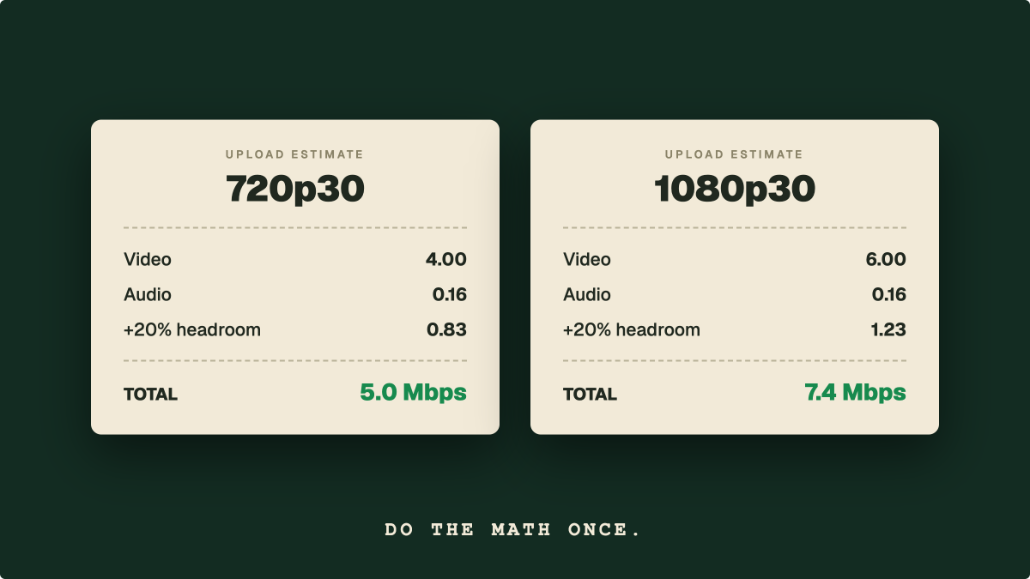
Do a site visit, stand exactly where the camera will stand, and run a speed test. The rule is to keep your bitrate at or below about 70% of the upload speed you measure, so a 1080p stream at 6,000 kbps wants at least 8.5 Mbps of sustained upload, and 10 Mbps is a comfortable target (our bandwidth guide explains the math). Then, in order of preference: a wired ethernet connection from the venue; a dedicated 4G/5G hotspot with a full battery and a good signal (test it at the venue, at the same time of day if you can); or the venue Wi-Fi as a last resort, ideally with a password-protected network the guests aren't on.
If the test shows a weak connection, don't cancel the stream; lower the target. A steady 720p stream at 2,500-3,500 kbps (fine on 4 to 5 Mbps of upload) looks far better than a 1080p stream that buffers through the vows.
Give Guests a Private Front Door, Not a Public Broadcast
A wedding is not content. Most couples want the stream reachable by invited guests and nobody else, and this is where the platform choice matters.
The quick option is an unlisted YouTube link: hidden from search, but anyone who gets the forwarded link can watch, the player is wrapped in YouTube branding and suggested videos, and music during your ceremony can trip automated copyright enforcement mid-stream. It also needs a channel with at least 50 subscribers if you plan to stream from a phone, which rules out a fresh channel on short notice. It works, but it is the least wedding-like option.
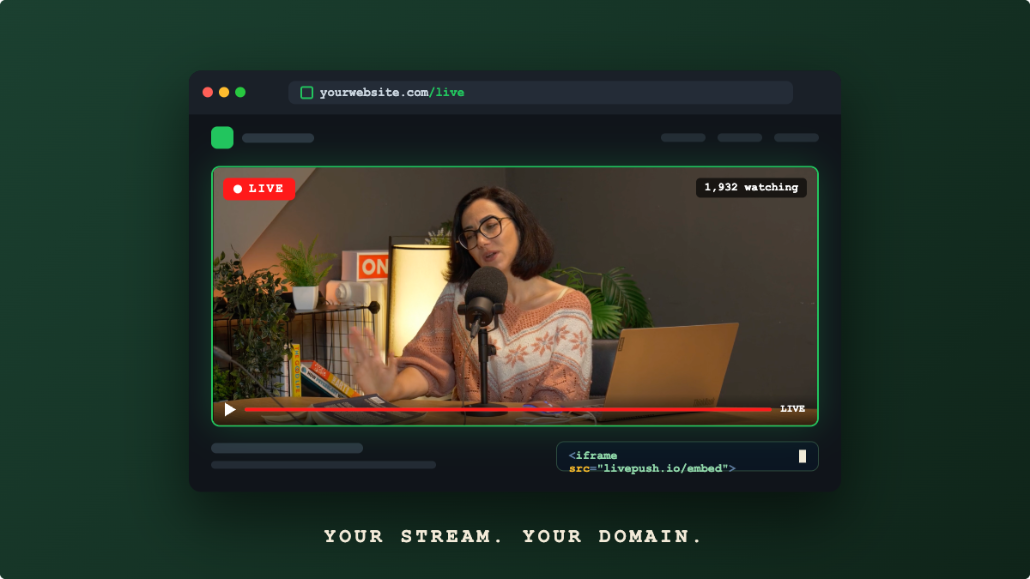
The nicer pattern is a private viewing page: a page on your wedding website (or a simple standalone page) with the stream embedded right in it, surrounded by your names, the schedule, and a note for remote guests. With Livepush website streaming you get an embeddable player with every stream, and you can embed it in any site builder page. Two settings turn it properly private: password protection on the player, with the password shared in the invitation email, and domain restriction, so the player only loads on your wedding site. That combination gives you an experience that feels like part of the wedding, not a redirect to a tech platform.
Send remote guests the link and password a week ahead, and again the morning of, with the start time in their time zone spelled out.
There's a copyright angle hiding here too. Ceremonies and receptions are full of recorded music, and the big platforms scan live streams automatically: more than one wedding stream on YouTube or Facebook has been muted or interrupted mid-processional because the entrance song tripped a copyright match. The system doesn't know it's your wedding. A stream delivered through your own embedded player has no such robot in the loop, which is one more reason the private page is the calmer choice for this particular day.
What to Stream (It's Less Than You Think)
Couples sometimes assume the stream must cover the whole day. It shouldn't. The remote guest experience has a clear shape:
The ceremony: yes, all of it. This is what the second guest list is there for. Start the stream twenty minutes early with a wide shot of the venue (this doubles as your buffer for technical fixes), and run through the recessional.
Speeches and first dance: ideally. If the reception is at the same venue and the connection holds, moving the tripod to cover the toasts and the first dance is a lovely second act, and a natural end point for the broadcast.
The rest of the reception: no. Four hours of distant dance-floor audio serves nobody, keeps your stream owner on duty all night, and dilutes a recording someone might actually rewatch. End the stream deliberately: a title card or a simple wave goodbye to the camera after the first dance sends remote guests off warmly.
Tell remote guests this schedule in advance ("the stream covers the ceremony at 4:00 and the toasts around 7:30") so they can plan to be present for the parts that exist, rather than watching an empty room in between. If the ceremony and reception are in different locations, don't try to stream the drive; end the ceremony stream, and start a second one at the reception if you want to cover the toasts.
One small, high-value extra: designate someone to relay a few chat messages. Remote guests who type "we're crying over here in Lisbon" during the vows are having a real experience, and telling the couple about it later, or reading a message or two aloud during the toasts, folds them into the day.
Run of Show for the Stream Owner
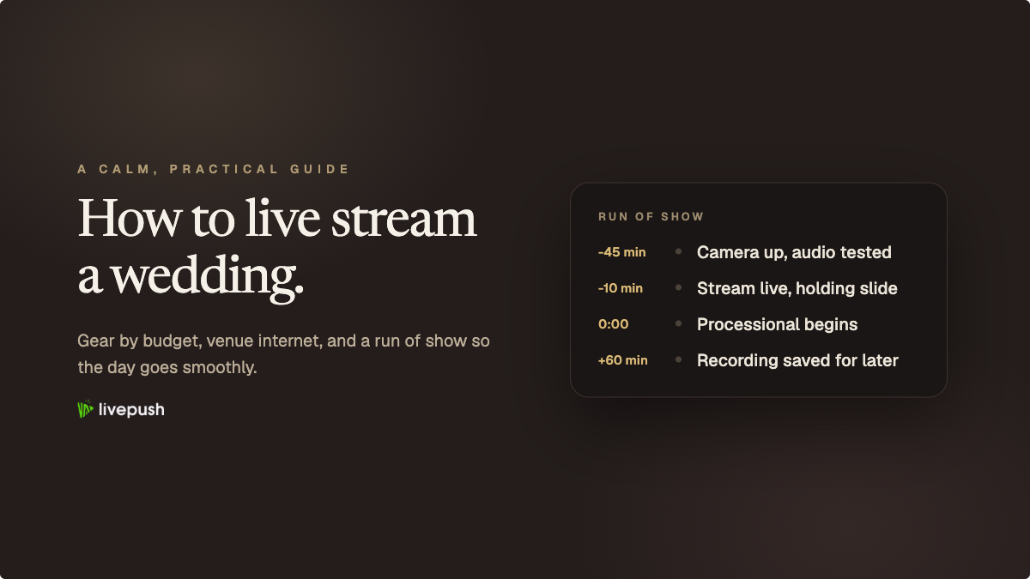
The week before: full rehearsal at the venue if possible. Same camera position, same connection, stream to a test page, watch it on a phone off Wi-Fi to see what guests will see.
Two hours before: camera on tripod and framed; every battery full and power banks cabled; connection speed-tested; a "starting soon" stream live to the private page so remote guests can settle in early rather than refreshing anxiously.
Twenty minutes before: start the real stream. Early is free; late is unfixable. Confirm audio by watching the actual stream output on headphones, not by standing near the speaker.
During: the owner watches the stream on a second device, not the ceremony. Frame wide enough that the couple can drift a step without leaving shot. Resist zooming during vows.
After: let it run through the recessional, announce the reception schedule on a slide or a note if remote guests are done, then end cleanly. Save the recording (cloud recording means this already happened automatically), and post the replay to the same private page within a day or two. If you also streamed to Facebook, don't rely on its replay: Facebook deletes live video replays 30 days after the broadcast, so download the recording. For faraway relatives in distant time zones, you can even re-broadcast the recording as a scheduled live showing at an hour that's kind to them, so the aunties in another hemisphere get their own "live" ceremony with a watch party.
The Reassurance, Restated
You need one owner, one tested connection, one microphone near the vows, one private page, and one rehearsal. That's the whole recipe. Everything else (multiple angles, overlays, fancy transitions) is decoration on a thing that already works, and the guests on the second guest list will remember that they were there, which was the entire point.
Embed live video on your website
Every Livepush stream includes a white-label HLS player.