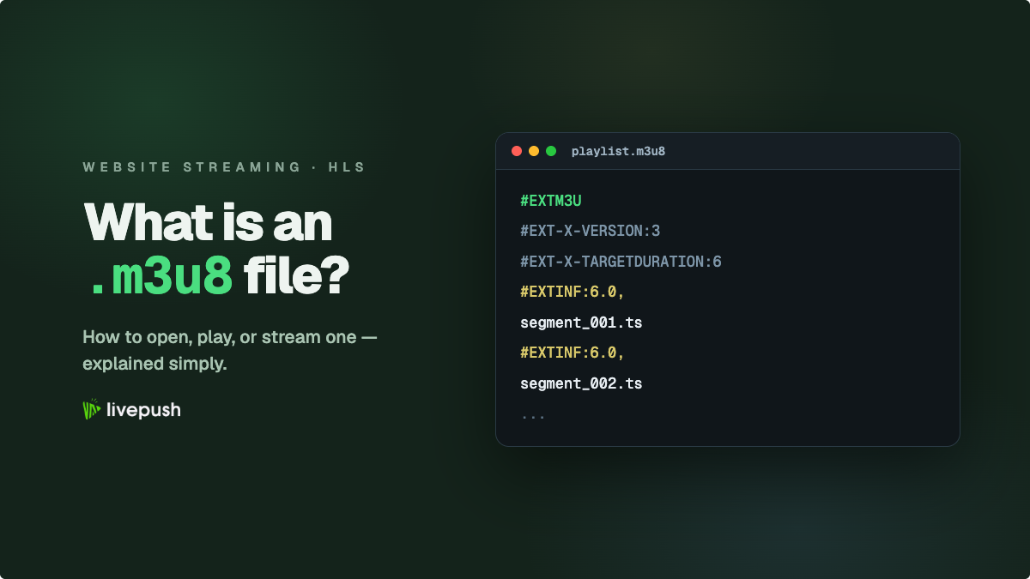
Click a .m3u8 link in Chrome and, instead of a video, you get a tiny downloaded file or a wall of text starting with #EXTM3U. That confuses a lot of people, and it is the single most common reason streams "don't work" for viewers. The short version: an M3U8 file is not a video. It's a playlist that tells a video player where the video actually lives.
This guide explains what's inside an M3U8 file, why it's the backbone of HLS streaming, and every practical way to open, play, or stream one.
What Is an M3U8 File?
An M3U8 file is a plain-text playlist file encoded in UTF-8. The name breaks down simply: M3U is the original playlist format (born in the Winamp era for listing MP3s), and the 8 means UTF-8 encoding. Any text editor can open one.
In modern streaming, M3U8 has a much bigger job. It's the manifest format for HLS (HTTP Live Streaming), Apple's protocol that now delivers the majority of live video on the web. When you watch an HLS stream, your player first downloads a small .m3u8 manifest, reads it to learn which media segments exist and at which quality levels, then fetches those segments one by one over ordinary HTTP.
So the M3U8 itself contains no video data. It's a table of contents, typically a few kilobytes, that points to the real media files: short .ts or .m4s segments of 2–10 seconds each. If you want the deeper protocol background on how HLS compares to ingest protocols, our RTMP vs SRT vs HLS comparison covers the full pipeline.
Inside an M3U8: An Annotated Example
Here's a simplified but realistic HLS manifest with comments explaining each line:
#EXTM3U                              <- required header: "this is an extended M3U playlist"
#EXT-X-VERSION:3                     <- HLS protocol version the player must support

#EXT-X-STREAM-INF:BANDWIDTH=5000000,RESOLUTION=1920x1080
1080p/index.m3u8                     <- variant playlist: 1080p rendition at ~5 Mbps

#EXT-X-STREAM-INF:BANDWIDTH=2800000,RESOLUTION=1280x720
720p/index.m3u8                      <- variant playlist: 720p rendition

#EXT-X-STREAM-INF:BANDWIDTH=1200000,RESOLUTION=854x480
480p/index.m3u8                      <- variant playlist: 480p rendition
That top-level file lists variants. Follow one of those variant URLs and you get a second M3U8 that lists the actual segments:
#EXTM3U
#EXT-X-VERSION:3
#EXT-X-TARGETDURATION:6              <- maximum segment length in seconds
#EXT-X-MEDIA-SEQUENCE:1042           <- sequence number of the first segment below

#EXTINF:6.000,                       <- duration of the next segment
segment1042.ts                       <- the actual video data lives in these files
#EXTINF:6.000,
segment1043.ts
#EXTINF:6.000,
segment1044.ts
For a live stream, the player re-downloads this segment playlist every few seconds to discover newly published segments. For video on demand, the playlist is complete and ends with an #EXT-X-ENDLIST tag.
Master Playlists vs Media Playlists
Those two examples above are the two kinds of M3U8 you'll meet:
- Master playlist: lists variant renditions (1080p, 720p, 480p) via
#EXT-X-STREAM-INFtags. It's how adaptive bitrate (ABR) streaming works: the player measures your bandwidth and switches between variants automatically. It may also declare separate audio tracks and subtitles. - Media playlist: lists the actual segments for one rendition, with
#EXTINFdurations. This is the file the player polls during a live stream.
A small stream might skip the master playlist and serve a single media playlist directly. A production stream from a service like Livepush's HLS live streaming generates the full master-plus-variants structure so every viewer, from fibre to 4G, gets a watchable quality.
Where You'll Encounter M3U8 Files
- HLS live streams: any live stream you watch in a browser or app almost certainly starts with an M3U8 manifest, whether it's a sports broadcast, a church service, or a webinar.
- IPTV channel lists: IPTV providers distribute long M3U8 files where each entry is a channel URL. Same format, used as a channel directory rather than a segment manifest.
- Video on demand: platforms package recorded video as HLS too, so VOD libraries are full of M3U8 manifests behind the scenes.
- Exported audio playlists: music apps still export M3U8 files that simply list local file paths. If your M3U8 came from a music player, it's this older, simpler use of the format.
How to Open or Play an M3U8 File
Here are the practical options, from easiest to most technical:
| Tool | Platform | Best for |
|---|---|---|
| Livepush M3U8 player | Any browser | Instantly testing or watching an M3U8 URL with zero installs |
| Livepush HLS player | Any browser | Checking HLS streams, renditions, and playback health |
| VLC | Windows, macOS, Linux, mobile | Local .m3u8 files and network streams on desktop |
| ffplay (FFmpeg) | Windows, macOS, Linux | Command-line debugging and quick technical checks |
| Safari | macOS, iOS | Native playback of M3U8 URLs with no player needed |
| Text editor | Any | Reading the manifest itself to debug tags and segment URLs |
In the browser (the easy way)
Desktop Chrome, Firefox, and Edge do not ship native HLS support (Chrome on Android does, through the phone's media stack). Paste a bare .m3u8 URL into the address bar and the browser has no idea it's video, so it downloads the text file instead. That's expected behavior, not a broken stream.
The fix is a web player that implements HLS in JavaScript. Paste your link into the free Livepush M3U8 player and it plays immediately in any browser, no account or install required. It's the fastest way to answer the question "is this stream actually live and working?" If you work with HLS regularly, bookmark the browser-based HLS player as well for verifying streams before you share them with viewers.
VLC
VLC plays M3U8 on every platform. Open VLC, go to Media, then Open Network Stream (on macOS: File, then Open Network), paste the URL, and press Play. You can also double-click a downloaded .m3u8 file, though it will only play if the segment URLs inside it are still valid and reachable from your machine. If you need a file rather than a window, our guide on how to convert M3U8 to MP4 covers VLC and ffmpeg step by step.
ffplay
If you have FFmpeg installed, this one-liner plays any manifest and prints useful diagnostics:
ffplay "https://example.com/live/stream/index.m3u8"It's the tool of choice when you need to see codec details or exactly which HTTP error a stream returns.
iOS and Safari
Safari on macOS and iOS supports HLS natively, because Apple invented it. Paste an M3U8 URL straight into Safari and it plays in the built-in video player. This is also why embedded players on websites use native playback on iPhones and hls.js everywhere else.
How to Stream an M3U8 (You Don't, Exactly)
A frequent misconception: people want to "broadcast an M3U8" from OBS. That's backwards. M3U8 is an output format, not an input format. The pipeline works like this:
- Your encoder (OBS, vMix, a hardware encoder) sends video to a streaming server using an ingest protocol, usually RTMP or SRT.
- The server transcodes and packages that feed into HLS: it writes the segments and generates the M3U8 manifests, updating them in real time.
- A CDN delivers those files to viewers, whose players read the M3U8 and fetch segments.
So to "stream an M3U8," you stream RTMP or SRT into a service like Livepush, and the service produces the M3U8 URL for you. Which ingest protocol to pick depends on your connection quality, and our protocol comparison guide walks through that decision. Once you have the HLS URL, you can put a player on your own site in a few minutes by following our guide to embedding a live stream on your website.
Common M3U8 Errors and What They Mean
- CORS errors: the manifest loads, but the browser console shows "blocked by CORS policy." Browser-based players need the server hosting the stream to send
Access-Control-Allow-Originheaders. VLC and ffplay ignore CORS, which is why a stream can work in VLC but fail in a web player. - 403 or expired token: many platforms sign their M3U8 URLs with short-lived tokens. A link copied from a network inspector often dies within minutes. You need a fresh, officially provided URL.
- Geo-blocking: some streams return errors outside licensed regions. The manifest may even load while the segments return 403.
- 404 on segments: the playlist exists but segments are gone. Common with live streams that have ended, since manifests sometimes outlive their segments.
- Mixed content: an HTTPS page cannot load an HTTP M3U8. Make sure the stream URL uses HTTPS.
M3U8 Is Not a Download (and a Note on Rights)
Because an M3U8 contains only URLs, "downloading the M3U8" gets you a text file, not the video. Reassembling segments into a video file is technically possible with FFmpeg, but whether you may do it is a separate question. Live streams and IPTV channels are usually protected by copyright, terms of service, or both. Play and share streams you own or have permission to use, and use official download options where a platform provides them.
Wrapping Up
An M3U8 file is the small text manifest at the heart of HLS: it lists renditions and media segments so players know what to fetch. To watch one, use a player, since only Safari handles it natively. The quickest option is pasting the URL into the free Livepush M3U8 player. And when you're ready to produce your own M3U8 instead of just playing one, send RTMP or SRT to Livepush and embed the resulting HLS stream anywhere on the web.
Embed live video on your website
Every Livepush stream includes a white-label HLS player.