
Stream pre-recorded videos live to YouTube, Facebook & more

Upload once. Go live anytime, on any platform.

Start free - then plans starting from $15/month

Trusted by broadcasters, media teams, and enterprises

SCHEDULED
Today 8:00 PM
Goes live automatically
520 viewers
LIVE
YouTube
480 viewers
LIVE
Facebook
200 viewers
LIVE
Twitch

Who uses pre-recorded live streaming

Course creators, churches, brands, media teams, and content creators all go live on schedule without being present.

Trusted by broadcasters, media teams, and enterprises

Churches & worship communities

Schedule Sunday services to go live on YouTube and Facebook automatically, every week, without a live operator.

Course creators & educators

Schedule lessons and webinars to go live at peak times for your audience, in any time zone, while you sleep.

Brands & businesses

Run product launches, demo replays, and recurring webinars on YouTube and LinkedIn without hosting them live each time.

Always-on channels

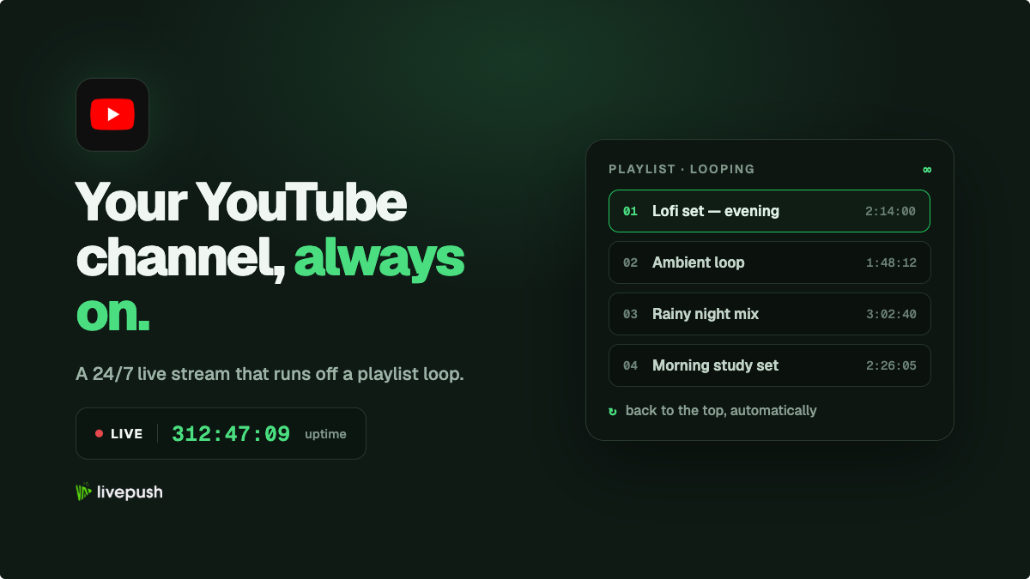
Loop music, lofi beats, news, or TV-style content 24/7 on YouTube and Twitch with no computer left running.

News & media teams

Broadcast time-shifted content and scheduled shows to global audiences across every platform simultaneously.

Content creators

Reach audiences in every time zone by scheduling the same video to go live at peak hours in different regions.

No encoder or live setup software needed

Livepush runs entirely in the cloud. No OBS, no encoder, no computer left running. Upload your video, set a schedule, and walk away.

Instant live streaming from recorded videos

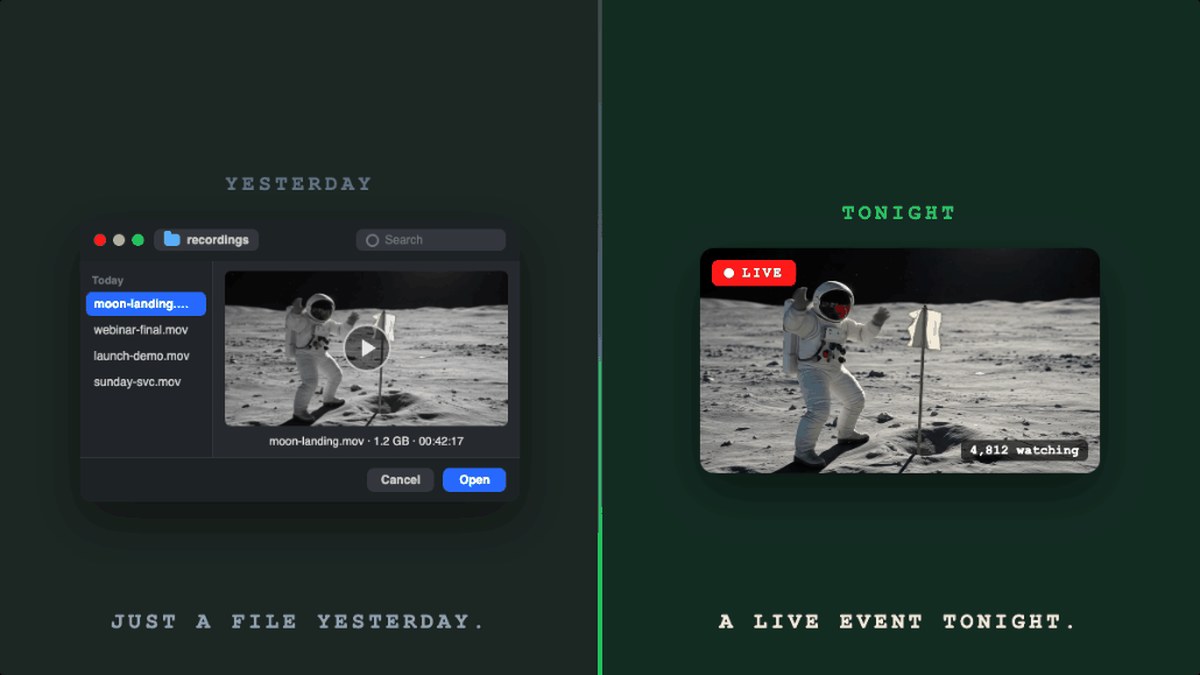
Upload once. Go live anytime.

Livepush makes live streaming effortless. Schedule your pre-recorded videos to go live on YouTube, Facebook, your website, and more.

live stream from recorded videos instantly

How it works

Schedule pre-recorded streams in four clear moves

Film at your own pace, reach your audience on their schedule. Livepush runs the broadcast from the cloud so your computer can stay off.

01 Prepare

Upload your video or playlist

No encoder, no camera, no live anxiety. Add a finished MP4, MOV, or MKV and Livepush takes it from there.

Livepush video upload optimization screen with title, description, and stream quality controls Livepush select videos screen with playlist video selection controls

02 Add destinations

Choose where you want to go live

Connect YouTube, Facebook, TikTok, LinkedIn, or any RTMP destination. Select as many as your plan allows.

Livepush add destinations screen with saved Facebook, YouTube, and Twitch accounts

03 Schedule

Pick a date, time, and time zone

Set exactly when you want the stream to start. Livepush handles the rest automatically, even if your computer is off.

Livepush live scheduling screen with date, time, and time zone controls

04 Go live

Livepush goes live. Your computer stays off.

At the scheduled moment, Livepush starts the stream from the cloud. Viewers see the live badge, live chat, and everything they expect from a live broadcast.

Everything in one dashboard

Manage your playlist, set destinations, monitor your stream, and control the schedule. All from one screen. No tabs, no encoder windows, no terminal.

Simple, transparent pricing.

Trusted by broadcasters, media teams, and enterprises

Free 20 hrs per month, included

No credit card. No time limit.

Start free

What our customers say

Reviewed on Trustpilot and Capterra by streamers, broadcasters, and teams worldwide.

Frequently asked questions

Have more questions? Visit our Help Center.

Getting started

What is pre-recorded live streaming?
Pre-recorded live streaming lets you upload a video and broadcast it as if it were happening live. Viewers on YouTube, Facebook, TikTok, and other platforms see a live broadcast at the scheduled time. You do not need to be present. Livepush handles the broadcast entirely from the cloud.
Will my pre-recorded video appear as live to viewers?
Yes. On YouTube and most platforms, your pre-recorded stream is indistinguishable from a real-time broadcast. Viewers see the live indicator, the live chat, and the viewer count just like any other live stream. You can be in the live chat responding to comments while your video plays.
Can viewers chat and interact during a pre-recorded stream?
Yes. YouTube live chat works exactly the same whether the stream is pre-recorded or filmed in real time. Viewers can send messages, Super Chats, and Super Stickers. You can be present in chat to reply, or another team member can manage it while the video runs.
Does YouTube treat live streams differently from regular uploads?
Yes. YouTube's algorithm gives live content priority in search results, in the Live tab, and in notifications. Subscribers are more likely to receive a notification for a live stream than for a new upload. Pre-recorded live streaming lets you get that algorithmic advantage without needing to be live in real time.
Do I need a camera or streaming software?
No. Livepush is entirely cloud-based. You just upload your video file and the platform broadcasts it for you. No OBS, no encoder, no camera required. Your computer can be switched off once the stream is scheduled.
How quickly can I go live with a pre-recorded video?
Most users are live within a few minutes. Sign up free, upload your video, connect a platform like YouTube or Facebook, and either go live instantly or schedule a time. No credit card required to start.
Is pre-recorded live streaming allowed on YouTube and Facebook?
Yes. Broadcasting pre-recorded videos as live streams is permitted on YouTube, Facebook, TikTok, Twitch, and most major platforms. Many creators and businesses use this format for scheduled shows, courses, product launches, and 24/7 channels.

Uploading and scheduling

What video formats can I upload?
Livepush supports MP4, MOV, MKV, and other common video formats. For best results, upload an MP4 encoded with H.264 video and AAC audio. You can stream at up to 4K resolution with 30 or 60 FPS depending on your plan.
Is there a maximum video file size or stream duration?
File size and maximum stream duration depend on your plan. Higher plans support larger files and longer continuous streams. Note that platforms have their own limits too: Facebook allows up to 8 hours per live session. Check the pricing page for Livepush plan limits.
Can I schedule a stream to go live at a specific date and time?
Yes. In the Livepush dashboard, set your preferred date and time for the stream to start. The broadcast begins automatically at that moment from Livepush servers, even if your computer is off. Time zone selection is supported.
Can I use pre-recorded streaming to reach audiences in different time zones?
Yes. You can schedule the same video to go live multiple times across different time slots to reach peak audiences in different regions. Many creators stream once in the morning for European audiences, and again in the evening for North American viewers.
Can I stream multiple videos in one broadcast?
Yes. You can upload multiple videos and arrange them into a playlist. Livepush plays them back-to-back as a single continuous stream. This is useful for multi-segment shows, courses, or mixed-content channels.
Can I change videos or content while a stream is already live?
Yes. Livepush lets you make real-time updates to your playlist during an active stream. You can swap videos, reorder content, or add new clips without interrupting the broadcast.
Can I set an end time so the stream stops automatically?
Yes. You can configure a fixed end time for your scheduled stream. Once the time is reached, the broadcast stops automatically. This is useful for time-limited events, webinars, or scheduled programmes.

Platforms and destinations

Which platforms can I stream pre-recorded videos to?
Livepush supports 30+ platforms including YouTube, Facebook, TikTok, Twitch, X (Twitter), LinkedIn, Kick, Rumble, Instagram, and more. Any RTMP-compatible destination is also supported via Custom RTMP, so you can stream to any platform or private server.
Can I stream to YouTube and Facebook at the same time?
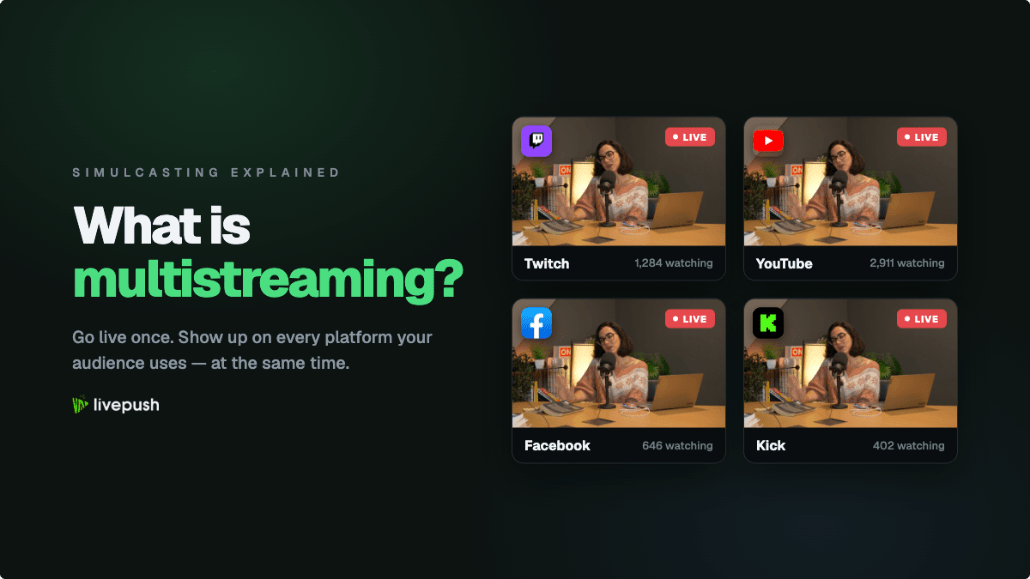
Yes. Livepush supports multistreaming, so your pre-recorded video goes live on YouTube, Facebook, and other platforms simultaneously from a single upload. The number of simultaneous destinations depends on your plan.
What is the difference between a YouTube Premiere and pre-recorded live streaming?
A YouTube Premiere plays a video as a scheduled event on YouTube only. Pre-recorded live streaming via Livepush lets you broadcast to YouTube, Facebook, TikTok, and 30+ other platforms simultaneously, with full scheduling, looping, playlist support, and a live stream key instead of a file upload to each platform individually.
Can I stream to multiple YouTube channels or Facebook pages?
Yes. You can connect multiple YouTube channels or Facebook pages to your Livepush account and stream to them at the same time. Each connected account counts as one destination toward your plan limit.
Can I embed a live player on my own website?
Yes. Every Livepush plan includes an embeddable HTML5 live player. Copy the iframe snippet from your dashboard and add it to any webpage. The player is responsive, works on all devices, and requires no plugins.
Is Facebook live streaming included in the free plan?
Facebook requires a paid plan starting at Pro ($15/month). YouTube and other platforms are available on the free plan. See the pricing page for a full breakdown of which platforms are included on each plan.

Looping and 24/7 streaming

Can I loop a video to stream 24/7?
Yes. You can set a video or playlist to loop continuously, so your channel stays live around the clock without any manual effort. This is popular for always-on YouTube channels, lofi music streams, TV-style channels, and event countdowns.
Does my computer need to stay on for 24/7 streaming?
No. Livepush runs entirely in the cloud, so once your stream is scheduled or set to loop, you can turn your computer off. The stream continues running on Livepush servers without any local device required.
Is there a limit to how many times a video can loop?
There is no limit on the number of loops. Your video can repeat indefinitely as long as you do not exceed the maximum stream duration allowed by your plan. Platforms like Facebook have their own per-session limits (Facebook caps live sessions at 8 hours), so for true 24/7 streaming Livepush automatically restarts the broadcast.
Can I run recurring weekly or daily streams?
Yes. You can set up recurring stream schedules so your pre-recorded content goes live automatically at the same time each day or week. This is useful for weekly shows, daily news segments, or regular training content.
What resolutions and frame rates are supported for looping streams?
Livepush supports all resolutions including 1080p, 1440p, and 4K, at 30 FPS or 60 FPS depending on your plan. Higher resolutions and frame rates are available on Creators plans and above.

Plans and pricing

Is there a free plan for pre-recorded live streaming?
Yes. The free plan includes 20 streaming hours per month and access to pre-recorded live streaming features. No credit card required to sign up. Paid plans unlock more streaming hours, additional platforms including Facebook, and higher resolution streaming.
How much does Livepush cost?
Plans start free with 20 streaming hours per month. Paid plans begin at $15 per month and scale based on streaming hours, number of platforms, and advanced features. See the pricing page for a full breakdown.
Can I cancel my plan at any time?
Yes. Cancel at any time before your next billing date and you will not be charged again. Your plan remains active until the end of the current billing period.
Which plan supports 24/7 looping streams?
24/7 continuous looping is available on the Creators plan and above. The free plan and entry paid plans include scheduled pre-recorded streams with hour limits per month. Upgrade to Creators for unlimited continuous streaming.

Go live today. No setup required.

Join thousands of streamers, broadcasters, and communities already on Livepush.