Here's a situation every streamer eventually meets. Your stream looks perfect on your machine. Then the messages arrive: "it keeps buffering for me," "had to switch to my phone," "it froze during the good part." Your settings were fine. Your viewers' connections were the problem, and you can't fix ten thousand living rooms.
Adaptive bitrate streaming (ABR) is how every serious video platform solved this. When you watch Netflix on hotel Wi-Fi and the picture briefly softens instead of stopping, that's ABR doing its job. This article explains how it works under the hood, in plain terms, and when you actually need it for a live stream.
The Core Idea: One Stream, Several Sizes
Think of it like a restaurant that serves the same dish in three portion sizes. The kitchen (the streaming server) prepares all three; each table (each viewer) is served the biggest portion they can handle right now, and the waiter quietly adjusts course by course as appetites change.
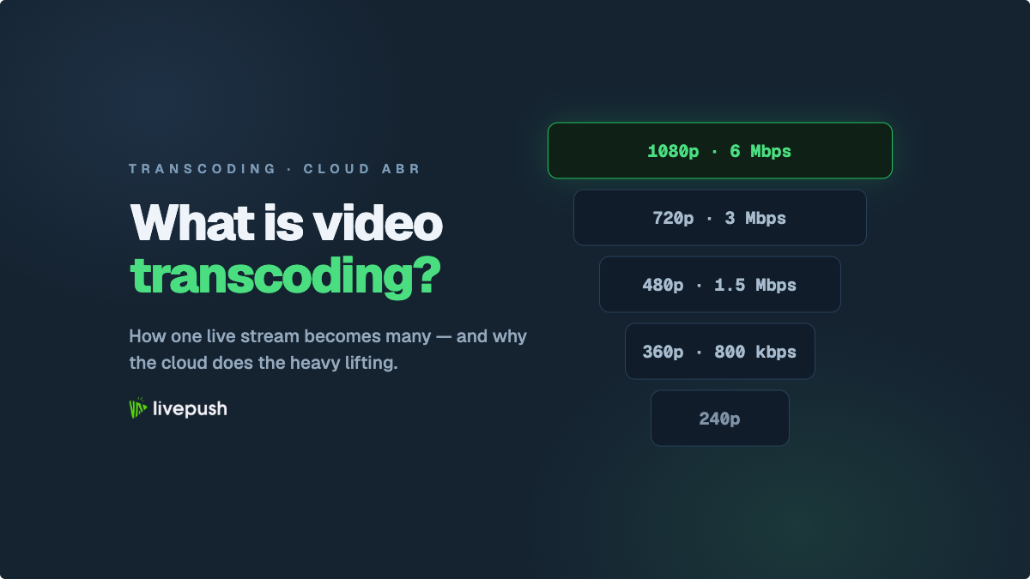
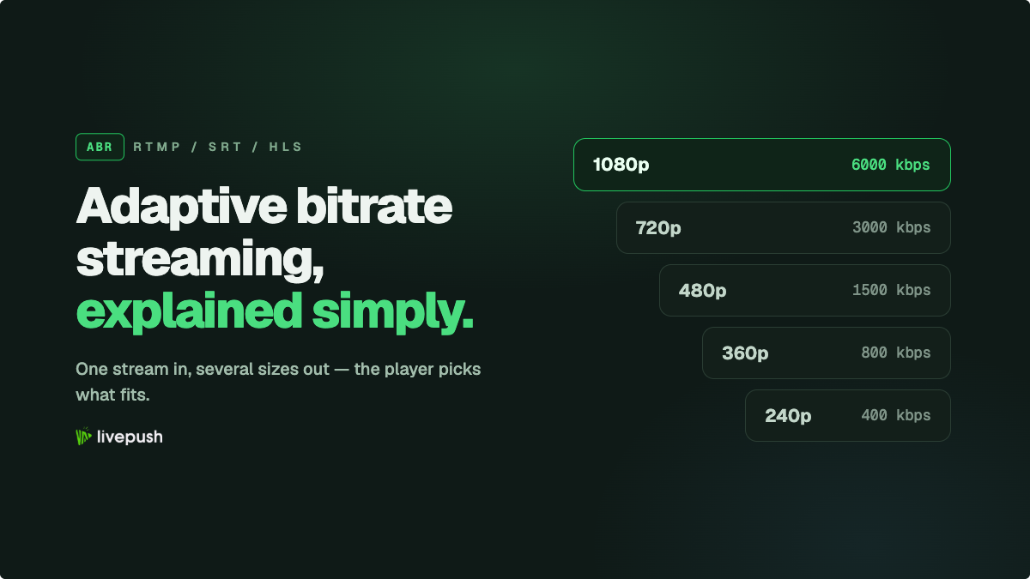
Concretely: you send one high-quality stream to the platform. The platform's servers transcode it in real time into several versions at different resolutions and bitrates. That set of versions is called the rendition ladder, and a typical one looks like this:
| Rendition | Resolution | Bitrate (approx.) | Serves |
|---|---|---|---|
| Source / top | 1080p | 4,500-6,000 kbps | Broadband, fiber, strong Wi-Fi |
| High | 720p | 2,500-3,500 kbps | Average home connections, good 5G |
| Medium | 480p | 1,000-1,800 kbps | Congested Wi-Fi, typical 4G |
| Low | 360p | 500-800 kbps | Weak cellular, rural connections |
Each viewer's player continuously measures how fast segments are arriving and picks the highest rung of the ladder their connection sustains, re-deciding every few seconds. Nobody selects anything; the ladder is invisible when it's working.
How the Switching Actually Works
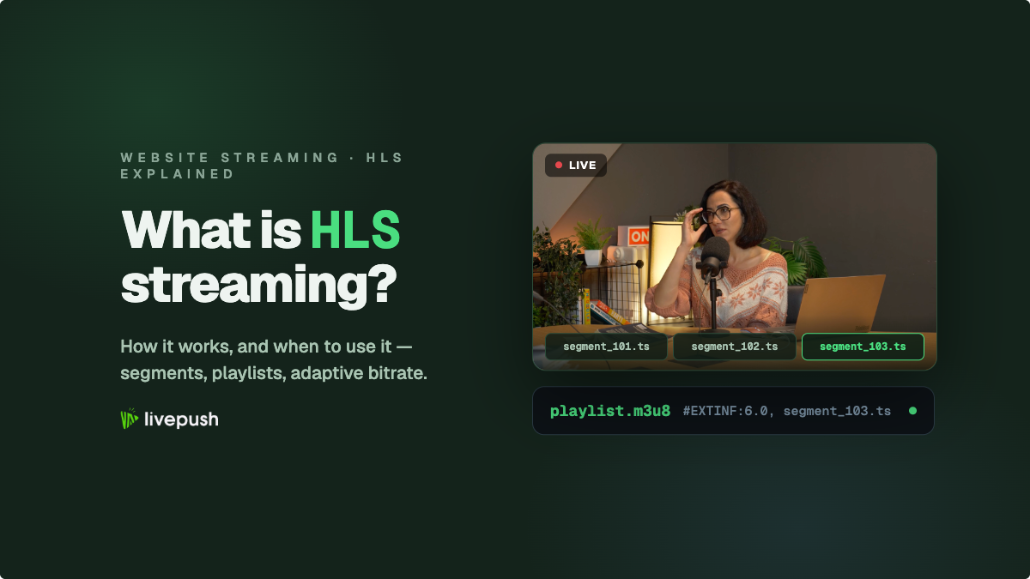
The mechanism is simpler than it sounds, and it's built on HLS, the delivery protocol nearly all web and mobile streaming uses.
HLS chops each rendition into small segments, a few seconds of video each. The player downloads a master playlist (an M3U8 file) that lists every rendition and its bandwidth requirement, then starts pulling segments from whichever rendition it estimates it can handle. Because every rendition is segmented on the same time boundaries, the player can finish segment 47 at 1080p and fetch segment 48 at 480p, and playback simply continues. The switch is a decision about which file to download next, not a re-connection.
That per-segment decision loop, downloading, measuring, choosing, is the entire trick. When throughput drops (someone starts a download, the train enters a tunnel), the player steps down the ladder before the buffer runs dry. When conditions recover, it steps back up. Apple's HLS documentation specifies the format if you enjoy reading specs, but as a streamer you never touch any of this; it's what players do.
It's worth appreciating what this replaced. Before adaptive streaming, web video worked like a download you could watch while it arrived: one file, one quality, chosen in advance. If the file was bigger than the viewer's connection could carry, they got the spinning wheel; if it was smaller, everyone with good internet watched a needlessly soft picture. Sites papered over this with manual quality menus (remember choosing "360p" by hand on early YouTube?), which pushed an engineering decision onto viewers who mostly just wanted the video to play. ABR automated that menu away, and it's why the quality selector on modern platforms defaults to "Auto" and almost nobody moves it.
The Trade-offs Nobody Mentions
ABR is standard because its costs are modest, but they exist, and knowing them helps you configure things sensibly.
A little latency. Segment-based delivery means viewers run some seconds behind the real moment, and the player needs a few segments buffered to make good switching decisions. For most streams (events, services, shows, 24/7 channels) this is irrelevant. If you're running split-second interactive formats, you'll be tuning for low latency anyway, and that's a different set of compromises.
Quality wobble is visible. When a viewer's connection fluctuates around a ladder boundary, they may notice the picture soften and sharpen as the player switches. Good players smooth this with hysteresis (they step up cautiously and down quickly), but on marginal connections some visible adaptation is normal and, again, better than stalling.
Someone has to pay for the transcoding. Building the ladder means encoding your stream several times in real time, which is exactly the kind of compute that belongs in a data center rather than on your streaming PC. This is bundled into any platform that offers ABR, but it's why the feature typically lives on paid tiers of streaming services rather than free ones.
What ABR Fixes (And What It Doesn't)
It helps to be precise, because "buffering" has two very different causes.
ABR fixes viewer-side problems. If your stream leaves your encoder clean and viewers on weak connections still buffer, that's the download side, and ABR is the designed solution: those viewers get moved to a rendition their connection can actually carry. This is the dominant problem when your audience is mobile-heavy or global, which is why it's standard on every major platform.
ABR cannot fix sender-side problems. If your own upload is unstable, every rendition is transcoded from a broken source, and everyone buffers regardless of ladder. Frames you drop on the way up are gone forever. That failure mode has its own toolbox: check our buffering troubleshooter and bitrate guide, and fix the upload before thinking about ladders.
One stream, two halves: your job is getting one good stream up; ABR's job is getting it down to everyone.
Why You Don't Run ABR Yourself
Producing four renditions locally would mean encoding four streams at once and uploading all of them, roughly quadrupling both CPU load and bandwidth. On a home connection that's a non-starter, which is why ABR is done server-side, in infrastructure built for it.
When the big platforms transcode your stream (YouTube and Twitch generate their quality options this way, though Twitch historically reserves guaranteed transcodes for partners), it happens in their data centers. When you're streaming to your own website or player, you need a platform that does the same for you: with Livepush adaptive bitrate streaming, you send one stream and the cloud transcoding layer builds the ladder and packages the adaptive HLS output your viewers' players consume. Your encoder settings, upload requirement, and workflow stay identical to a single-quality stream.
What ABR Means for Your Encoder Settings
Since the ladder is generated from the stream you send, one practical rule follows: feed the transcoder the best stable source you can. Every rendition is a child of your upload; a 1080p source at a healthy bitrate produces a clean ladder all the way down, while an over-compressed or stuttering source produces artifacts that get faithfully copied into every rendition.
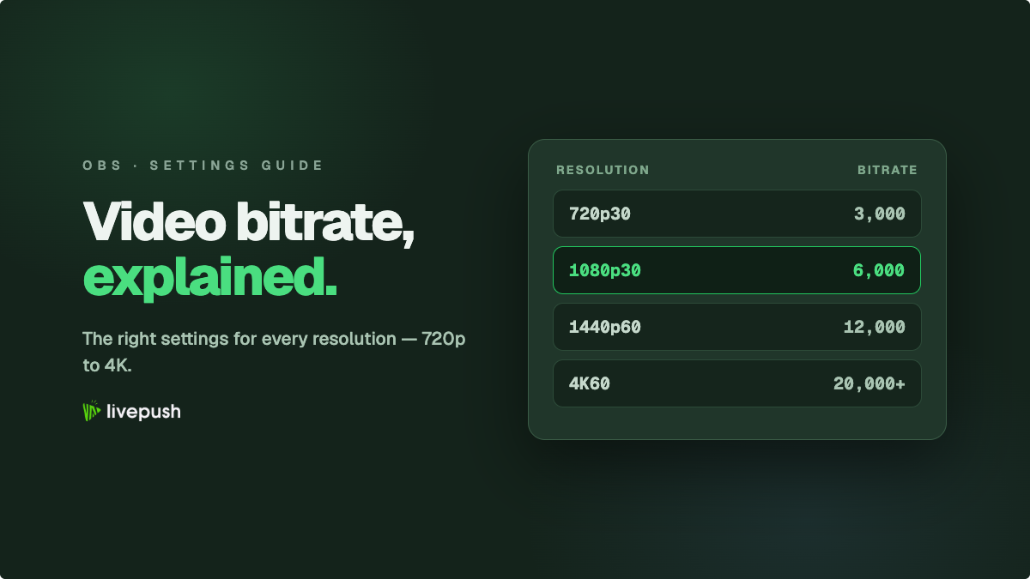
Concretely, that means you pick your encoder settings the same way as ever (resolution and bitrate your connection can sustain with about 30% headroom, CBR, 2-second keyframes; the bitrate guide has the numbers), and you stop worrying about your weakest viewer when doing it. Without ABR, streamers often compromise downward, picking 720p so viewers on poor connections aren't excluded. With ABR that compromise is obsolete: send the 1080p your connection supports, and the ladder handles inclusion for you. The transcoder can only step down from what you send, never up, so the ceiling of everyone's experience is set at your encoder.
So: Do You Need It?
A quick decision guide. Skip ABR for now if your audience is small, mostly desktop, on decent broadband, and watching through a major platform that already transcodes for you. Turn it on when any of these is true: you embed streams on your own website, where you control delivery and your viewers' connections are a mystery; a meaningful share of your audience watches on phones; your viewers are spread across regions with uneven internet; or your content is long (events, services, 24/7 channels), where even patient viewers won't tolerate stalls for hours.
The pattern behind all four: the less homogeneous your audience's bandwidth, the more a single fixed bitrate mis-serves most of them, and the more a ladder pays for itself.
The Vocabulary, In One Place
Since these terms will follow you around any streaming dashboard, here's the pocket glossary. A rendition is one version of your stream at a particular resolution and bitrate. The rendition ladder (or bitrate ladder) is the full set. A segment is one small chunk of video, a few seconds long, that renditions are divided into. A manifest or playlist is the M3U8 index file that tells the player what renditions and segments exist. Transcoding is the server-side work of creating renditions from your source stream. And ABR is the player behavior that ties it together: measure, choose, fetch, repeat.
The Takeaway
Adaptive bitrate streaming is the difference between broadcasting one signal and hoping, versus serving each viewer what their connection can actually carry, second by second. It's not an exotic optimization; it's how modern streaming video works everywhere, and with cloud transcoding it costs you nothing in workflow: one good stream up, the right stream down to every screen.
Multistream without multiplying your upload
One stream to Livepush, free for 20 hours/month.