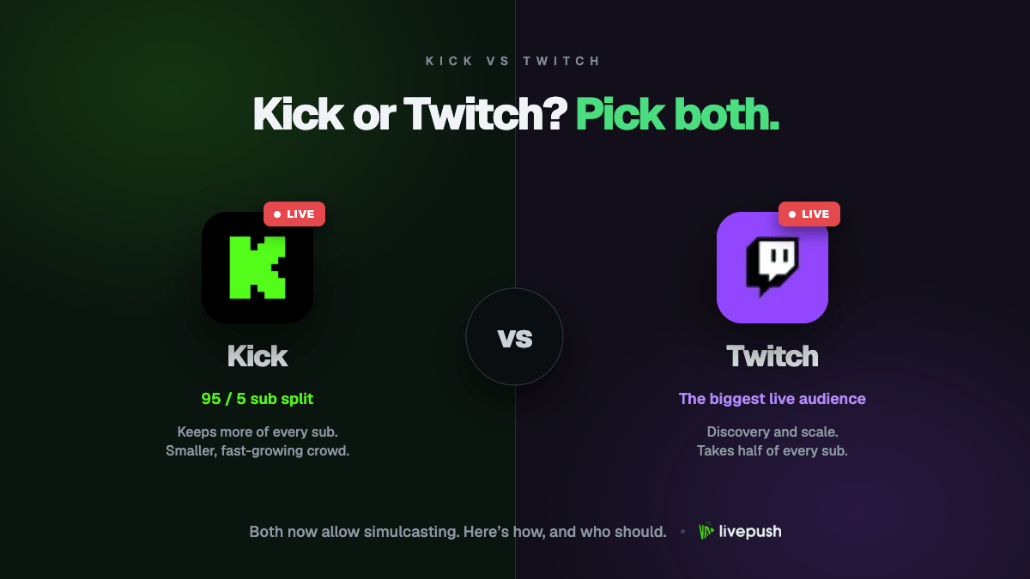
Every Kick vs Twitch article comes down to one sentence: Kick pays better, Twitch has the viewers. That was true in 2023 and still roughly true in late 2026, but the gap has narrowed enough that the sentence no longer settles the question. Kick's audience has grown for three straight quarters, Twitch has loosened its bitrate ceilings and simulcasting rules, and both publish monetization thresholds you can measure against.
This is the operational comparison: who can monetize and when, what a viewer is worth, what the encoders and players actually do, audience size, moderation, and what each platform says about streaming to the other. The verdict is at the end. For most people, the real answer is to stop treating it as a choice.
Kick vs Twitch at a Glance
| Factor | Kick | Twitch |
|---|---|---|
| Who can go live | Anyone, immediately | Anyone, after enabling 2FA |
| First monetization tier | Affiliate (low, see below) | Affiliate (50 followers plus activity thresholds) |
| Sub price and split | Flat $5, you keep 95% | $5.99 Tier 1 in the US, 50/50 standard, 60/40 or 70/30 via Plus Program |
| Tips | Kicks, 95% to you | Bits, about $0.01 per Bit to you |
| Ad revenue | No direct ad share | Ad share for Affiliates and Partners |
| Max ingest bitrate | 8,000 kbps, CBR only | 6,000 kbps standard; 7.5 Mbps at 1080p and 9 Mbps at 1440p with Enhanced Broadcasting for Affiliates and Partners |
| Codecs | H.264 only | H.264; HEVC for 1440p via Enhanced Broadcasting |
| Viewer playback cap | 720p60 until an engagement threshold | Full resolution; transcoding for Partners and many Affiliates |
| Ingest security | RTMPS | RTMP and RTMPS |
| Hours watched, Q3 2026 | 2.04 billion | 4.51 billion |
| Simulcasting | Allowed; Partners must enable a toggle and take a 50% payout cut for the session | Allowed since Oct 2023 with quality, chat, and link conditions |
Who Can Stream, and Who Can Get Paid
Going live is free on both. Kick has no waiting period: copy the RTMPS URL and stream key from the Creator Dashboard and broadcast (see our guide to streaming on Kick). Twitch requires two-factor authentication first; our Twitch stream key guide covers the rest.
Twitch Affiliate requires, over the trailing 30 days, 50 followers, 500 minutes broadcast across 7 unique days, and an average of 3 concurrent viewers. That unlocks subs, Bits, and ads. Partner is reviewed by application; the Path to Partner achievement that qualifies you to apply asks for 25 hours streamed across 12 unique days at an average of 75 concurrent viewers, and meeting it does not guarantee acceptance. Partner adds guaranteed transcoding and more emote slots, but since 2024 the sub split is set by the Plus Program, covered next.
Kick's tiers sit lower. You must be a Kick Affiliate or Partner to earn from subscriptions. The Affiliate milestone has been published as 75 followers and 5 hours streamed since 2023, tracked on the Achievements page in your dashboard; Kick adjusts it from time to time, so treat the dashboard as the authority. Above that sit Verified status and the Kick Partner Program, both reviewed against 30-day metrics where 75 average concurrent viewers is the headline number, alongside hours, subscribers, chatters, and VOD count. Kick's 1080p playback article names "75+ average CCV" as the milestone on the path to Verified. Partner is the only tier paid per stream (on terms Kick does not publish) and the only tier with the multistreaming condition discussed later.
In practice, a channel averaging 5 viewers is monetized on either platform within a week or two of consistent streaming. The gap opens at the next tier: the two 75-viewer paths look alike on paper, but Twitch's Partner review is notoriously selective, while Kick's smaller pool of channels means less competition for the same viewer counts.
Kick vs Twitch Revenue Split: What a Viewer Is Worth
Subscriptions. Kick subs are a flat $5 per month, and Kick's revenue split page states you keep 95% after a 5% processing fee, so $4.75 per sub. Twitch's Tier 1 sub is $5.99 in the US at a standard 50/50 split, so roughly $3.00 per sub before regional pricing, which lowers both the price and your cut in many countries. Twitch's Plus Program improves this: hold 100 Plus Points for three consecutive months and your split moves to 60/40 (about $3.59 per Tier 1 sub); hold 300 and it moves to 70/30 (about $4.19). A Tier 1 sub is one point, Tier 2 two, Tier 3 six; since January 2024 there is no $100,000 cap, and Affiliates have been eligible since May 2024.
Put plainly: the kick vs twitch revenue split means a Twitch streamer at the very top of the Plus Program still earns less per subscriber than a Kick Affiliate on day one. A hundred subs is $475 a month on Kick, $300 on standard Twitch, $419 on 70/30 Twitch. Whether that matters depends on whether you can find a hundred subscribers on each platform.
Tips. Twitch Bits pay about one cent per Bit. Kicks pay 95% of value to the creator per the same revenue page.
Ads. Twitch shares ad revenue with Affiliates and Partners. Kick runs scheduled ads, but its advertising article is explicit that ads "do not currently generate direct additional payment" to creators; Partners are compensated through the Partner Program instead, creators cannot opt out, and monetization is not available in the Slots and Casino category. If ad revenue matters to you, that is a point for Twitch.
Payouts. Twitch pays monthly once you pass a $50 balance. Kick pays through Stripe, monthly for non-verified streamers and weekly or monthly for Verified ones, and absorbs currency conversion fees.
Shopping. Twitch launched a Shopping category on October 6, 2026 with Amazon Live sellers; creator commission terms are not yet published, so treat it as a direction rather than a revenue line.
Technical: Bitrate, Codecs, Transcoding, Playback
Ingest. Kick accepts 1,000 to 8,000 kbps at up to 1080p60, H.264 only (no HEVC), CBR only (no VBR), 2-second keyframes, stereo audio at up to 48 kHz, over RTMPS. Twitch's standard ceiling is 6,000 kbps at 1080p60, H.264, 2-second keyframes, over RTMP or RTMPS. Since June 17, 2026, Enhanced Broadcasting lets Affiliates and Partners send up to 7.5 Mbps at 1080p and 9 Mbps at 1440p, with the 1440p tier encoded in HEVC. Your machine encodes the renditions, so it needs a capable GPU.
Against a non-affiliated Twitch channel, Kick's 8,000 kbps is a real advantage on fast-motion gameplay; with Enhanced Broadcasting the two are close at 1080p and Twitch pulls ahead at 1440p. Whatever the ceiling, keep your actual bitrate at or below about 70% of your measured upload speed; our bandwidth guide and bitrate guide explain why.
Playback. Here the advantage flips. Since July 2026, a Kick channel below its engagement threshold is served at a maximum of 720p60 even if you send 1080p; the 1080p option appears automatically once the channel qualifies. On Twitch, viewers get the resolution you send, but the quality ladder that lets a viewer on a slow phone drop to 480p is guaranteed only for Partners and offered to "many" Affiliates in Twitch's wording. A new Twitch channel can be source-quality-or-nothing, so a viewer on a weak connection buffers out instead of stepping down.
Vertical. Twitch's Dual Format, launched alongside Enhanced Broadcasting, streams horizontal and vertical versions at once, with a portrait layout for mobile viewers and clips in both orientations. Kick accepts vertical streams but has no equivalent.
Stream health. Both dashboards show bitrate and dropped frames; Kick's official advice is to drop bitrate in 1,000 kbps steps when the stream lags. Twitch's Inspector tool is more detailed than anything Kick offers.
Twitch vs Kick Audience and Discovery, With Numbers
The audience gap is real, and it is shrinking. Streams Charts' Q3 2026 livestreaming report, published October 13, 2026, puts Twitch at 4.51 billion hours watched for the quarter and Kick at 2.04 billion. Kick's share of all tracked watch time reached a record 6.4%, up 30.7% quarter over quarter and its third consecutive quarter of growth; Twitch's share edged up from 13.8% to 14.2% on 4% growth. Twitch is still a little over twice Kick's size, but Kick is growing more than seven times as fast.
For a small channel, distribution matters more than the total, because Twitch's hours are spread across far more live channels. Third-party analyses of Streams Charts channel data for August 2026 put the average audience per live hour several times higher on Kick than on Twitch (one published figure is 278 against 79). That is third-party math and indicative only, since the ratio depends on which channels a tracker includes, but it matches what streamers report: the same content tends to draw more concurrent viewers on Kick.
Discovery differs too. Twitch's crowded directory leaves a new channel below the fold for months. Kick leans on category browsing with a lighter recommendation layer (its first discovery algorithm began rolling out in 2026), so category choice and schedule consistency carry more weight. Neither platform sends meaningful cold traffic to a new channel; on both, the top of the funnel is clips on TikTok, Shorts, and Reels, which makes the question less about discovery and more about where your audience, once found, is worth the most.
Moderation and Brand Safety
Twitch has fifteen years of moderation tooling: AutoMod, Shield Mode, phone and email verification gates for chat, Content Classification Labels, a large trust and safety operation, and an enforcement record that is, depending on who you ask, either consistent or overbearing. Its rules on gambling, sexual content, and hate are stricter and more actively enforced. For sponsors, Twitch is the known quantity.
Kick was founded by the co-founders of the Stake.com casino and built its early audience partly on slots streaming, which is why some sponsors still treat it as higher risk. Kick has moved to address that: Slots and Casino is excluded from monetization, and there are published content classification labels, a suspension and appeals process, and a mass harassment response guide. Its Partner multistreaming article notes that Kick moderates with "full context", meaning you are responsible for behavior in chats you bring onto the platform. Chat tools (bans, timeouts, slow mode, follower-only, sub-only, moderator roles) are present but thinner than Twitch's, and third-party bot support is less mature.
If you want mainstream sponsor deals, Twitch's reputation is an asset. If your content already lives at the edge of Twitch's guidelines, Kick's looser enforcement is why you are reading this. Either way, read both sets of community guidelines; both have changed more than once in two years.
The Simulcasting Rules, From Each Side
Twitch's side. Twitch dropped its exclusivity requirement at TwitchCon in October 2023, and its simulcasting guidelines now allow every streamer, Affiliates and Partners included, to stream to other platforms at the same time. The conditions: your Twitch stream must be equal or better quality than on other platforms; you may not display a merged third-party chat on your Twitch broadcast (reading it off-screen is fine, as is a merged overlay on the other platforms); and you may not share links or push viewers to another platform during the stream. Separate exclusivity contracts still apply. Twitch says it warns before restricting an account.
Kick's side. Regular Kick streamers and Affiliates have no simulcasting restriction. Kick Partners do: Kick's multistreaming article says Partners must switch on the Multistreaming toggle under Partner Income (or type /multi on in chat) when sending the stream to long-form platforms such as Twitch or YouTube, and the Partner payout is reduced by 50% for the length of each multistreaming session. Short-form and vertical platforms such as TikTok Live, YouTube Shorts, and Instagram Live do not require the toggle. Subs and Kicks are not affected; only the Partner Program per-stream payment is halved.
Net effect: a Kick Partner gives up half their partner payout for every simulcast hour. Anyone below Partner pays nothing on Kick's side.
Why Not Both: Stream on Kick and Twitch at the Same Time
Moving an established Twitch channel to Kick means restarting from zero viewers for a better split; a new streamer trades pool size against revenue per sub. Simulcasting resolves the trade-off: be live in both places, let viewers pick, and let the numbers decide after a few months whether one platform deserves to be home.
The wrong way to stream on Kick and Twitch at the same time is two outputs from OBS. Each extra platform doubles your upload and encoder load: two 6,000 kbps streams is 12,000 kbps of sustained upload, beyond most home connections once you apply the 70% headroom rule, and the second encode is where dropped frames come from. Our OBS multistreaming guide covers when the local approach holds up.
The right way is one stream up, many out, the model our what is multistreaming guide explains in full. With Livepush multistreaming, OBS sends a single stream to Livepush over RTMP or SRT, and Livepush's servers forward it to Kick, Twitch, YouTube, Facebook, and 40+ other destinations at once. Twitch connects by logging in with your Twitch account or pasting the stream key. For Kick, choose Add Destination, pick Kick or Custom RTMP, and paste the RTMPS server URL and key from your Kick Creator Dashboard once. Your PC and connection do the work of a single stream no matter how many places you are live.
Three details specific to a Kick plus Twitch simulcast:
- Quality parity. A cloud forwarder sends the identical stream to both, so Twitch's equal-or-better rule is met automatically. Keep your single upload within both ceilings (6,000 kbps if you are not a Twitch Affiliate).
- Chat. Livepush's multi-chat overlay merges chats from your connected platforms. Per Twitch's rules, show it on Kick and read it off-screen for Twitch rather than compositing it into the Twitch broadcast.
- Partner toggles. Kick Partners should turn on Multistreaming before the Twitch destination goes live. If you have an exclusivity contract anywhere, read it first.
The free Livepush plan covers 3 destinations and 20 hours per month with no credit card, enough to run a Kick plus Twitch test and see which platform your audience follows. Our multistreaming platform comparison covers the alternatives.
So, Kick or Twitch?
The short version:
- You are new and want to monetize fast: Kick. The Affiliate bar is lower, the split is 95/5, and a small channel gets more viewers per live hour. Accept the 720p playback cap until you grow.
- You want the biggest possible audience and a sponsor-friendly reputation: Twitch. Over twice the watch time, mature tooling, ad revenue, and brand familiarity. Accept the 50/50 split until you qualify for Plus.
- You already have an audience on Twitch: do not move it. Add Kick as a second output and let your existing viewers choose. The split improvement only pays off on viewers you actually have.
- You are a Kick Partner: run the numbers. The 50% payout reduction for simulcast sessions may or may not be covered by what Twitch adds.
- You are anyone else: stream to both from one upload and revisit in three months with real data.
Is Kick better than Twitch? On per-viewer economics, yes, clearly. On the number of viewers, no, not yet, though the gap closed again this quarter. Twitch vs Kick is a question with a different right answer for each channel, and the cheapest way to find yours is to stop guessing and be live on both.
Stream to multiple platforms without extra bandwidth
Send one stream to Livepush and we fan it out to 40+ destinations.